How To Transcode Videos With CurtConvert
Using CurtConvert to Transcode videos on your computer to a lower bitrate
Written By Ed Kinne
Introduction
In this article, we will show you how to transcode videos with a bitrate exceeding your tenant's allowable limit.
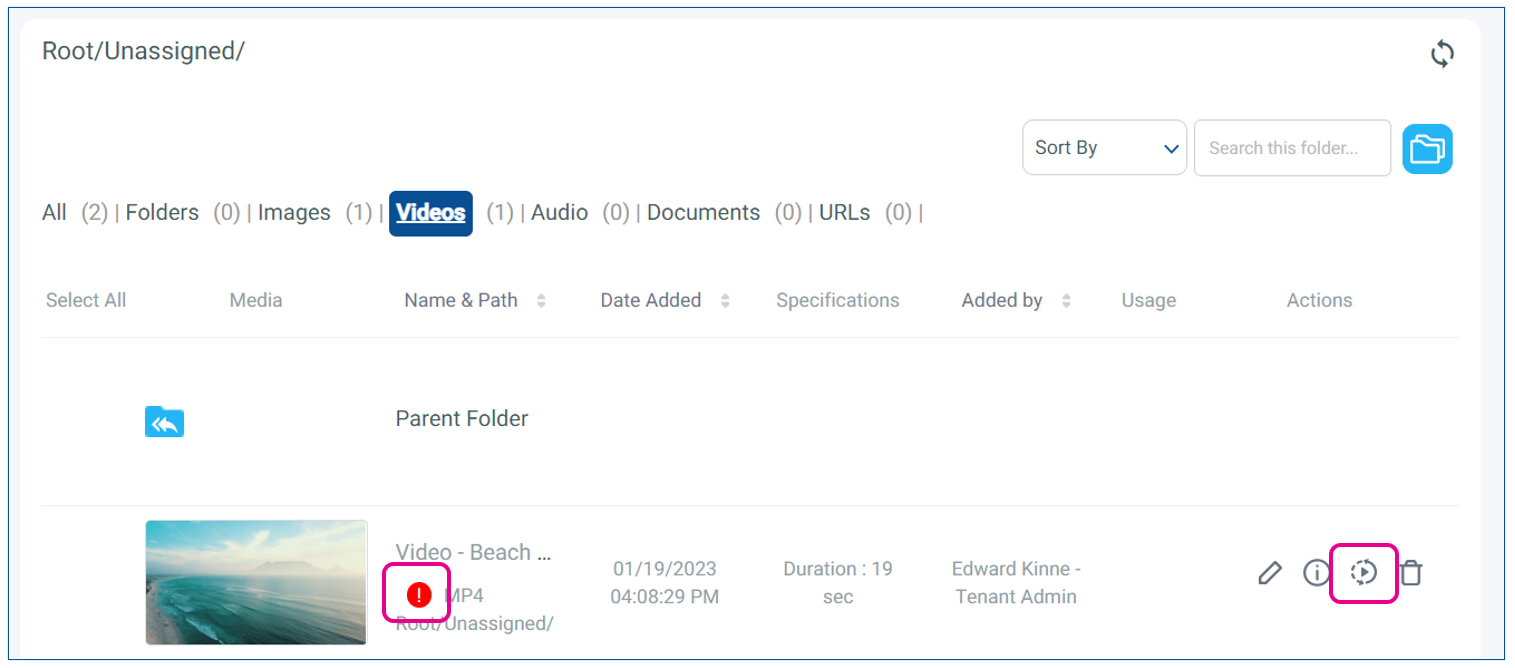
If you load a video to the Media Manager that is over the allowed bitrate, the file will have a red exclamation mark next to the thumbnail
The default bitrate limitation of a Korbyt tenant is a bitrate of 5 Mbps (5 megabits per second)
This default bitrate limit in Korbyt ensures that media players can play video smoothly. Your Tenamt may have a higher bitrate limit set.
If a Video is too high a bitrate, it will need to be transcoded to a lower bitrate before it will play.
You can use any video production/transcoding tool you choose.
CurtConvert is offered by Korbyt as a free simple to use solution, but is not the required choice. for more information see Best Practices For Video Content On The Korbyt Platform
Option 1: Quick and Easy – CurtConvert
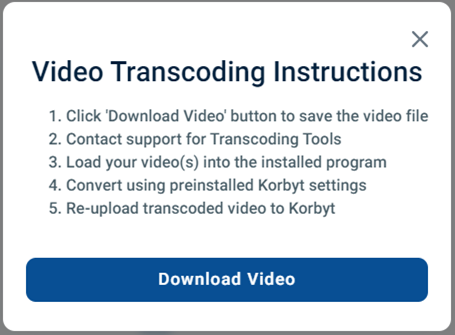
The Transcode action button to the right of video files will allow you to download the video file from the tenant so that it can be transcoded on your local computer.
Getting CurtConvert
If you require the CurtConvert software, contact Support@Korbyt.com to be sent the software.
After receiving the link for Korbyt Support, click it to download the Installer Package and run it to install CurtConvert on your PC.
Using CurtConvert
Use this program to convert your video file with one single step. This will re-encode the video file and allow it to function in all channels of Korbyt.
Click on the large [+] button and select your video that you wish to re-encode.
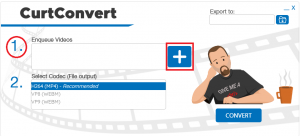
This will use the file explorer on your computer
Select the Codec
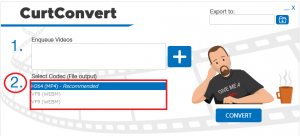
If the video is an extremely high bitrate, you may have to select one of the Webm codecs (formats) to achieve a bitrate below 5 Mbps
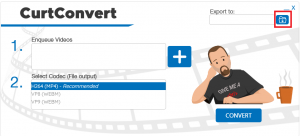
Click on the Folder Icon to choose its destination folder.
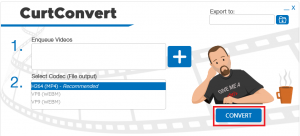
Click CONVERT at the bottom of the page.
Upload the resulting file to your Korbyt Media Library.
Other Options
There are other programs available to transcode video files, you do not have to use the Korbyt provided CurtConvert.
Common Choices include Adobe Premier (Paid) or Hand Brake (Free)
These tools offer more options when transcoding videos, but will require user knowledge of them.
For guidance see Best Practices For Video Content On The Korbyt Platform