Canva Publishing to Korbyt through the Share App
Using the Korbyt Application in your Canva system to publish content into your Korbyt Tenant directly
Written By Ed Kinne
Overview
Korbyt has created a Share application embedded within Canva’s native environment.
You can use it to create Images and Videos in Canva, then save them directly to your Korbyt Tenant.
Requirements
Have a Canva Account
Have a Korbyt User Account
How to save directly to Korbyt
In Canva -
Once you have created your Image or Video
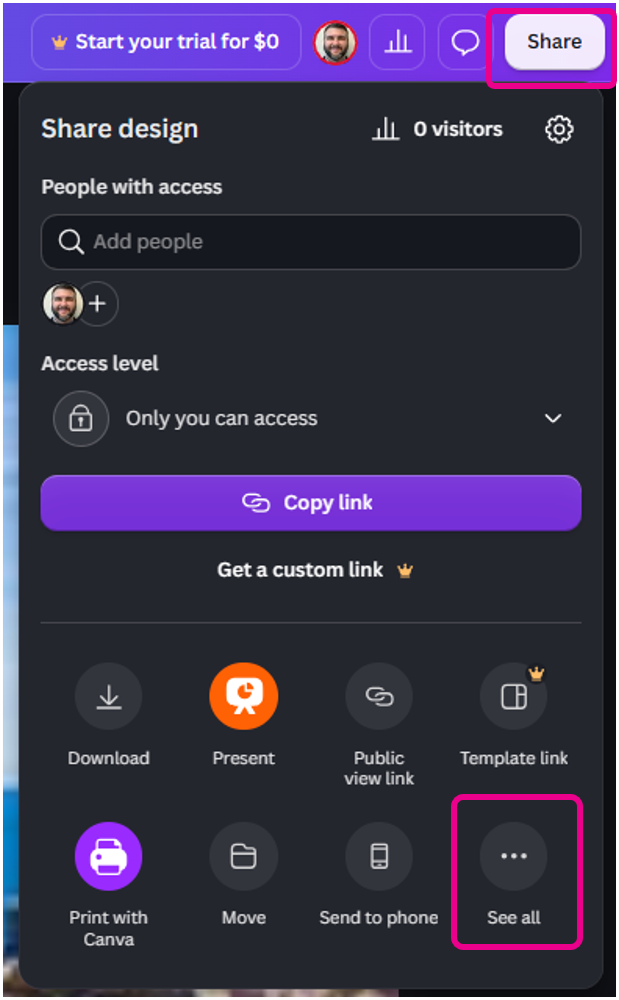
Click the Share button in the upper right
Then click the See All Icon on the lower right
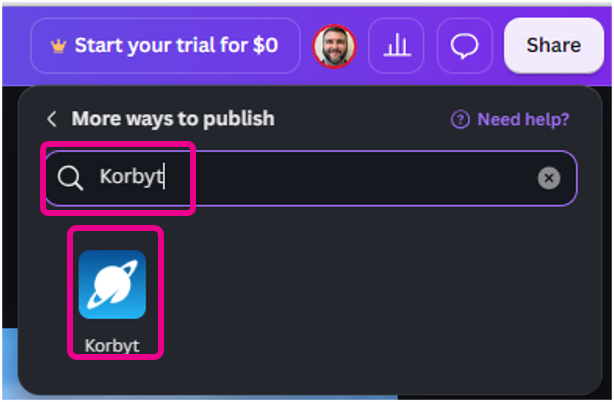
Then, in the More ways to publish, search for Korbyt
Click on the Korbyt icon
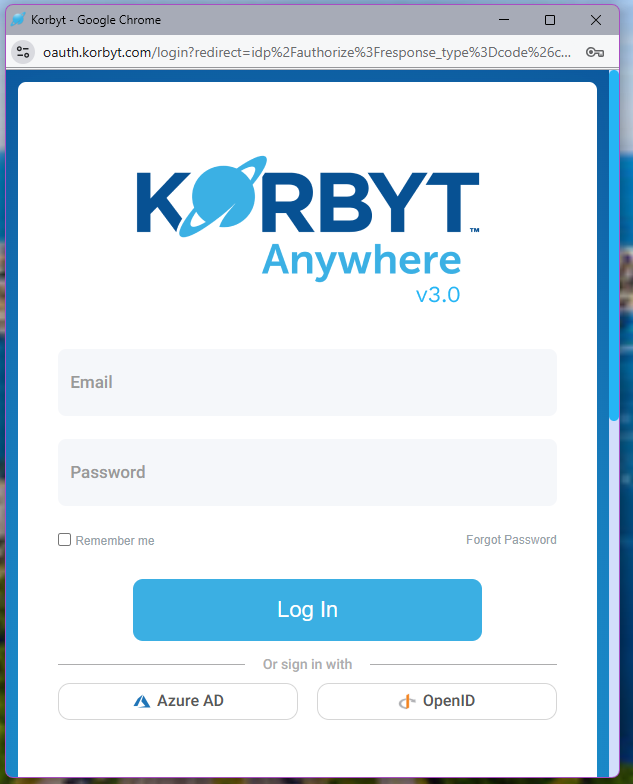
You will then be asked to log in to your Korbyt CMS account
If you have not, click the Connect to Korbyt button

In the pop-up, enter your Korbyt Account information and log in
Then, in the pop-up, click Authorize
If you are already logged into your Korbyt Tenant in another Window, it will skip to the Authorize screen.
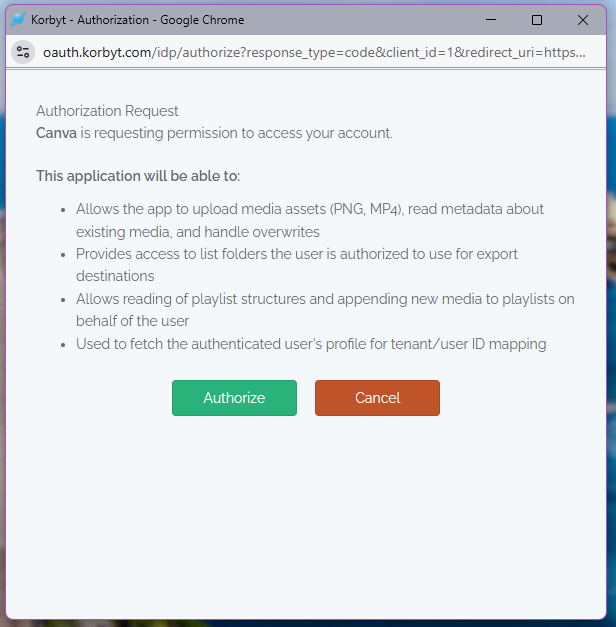
You may be asked to reauthenticate in the Menus if it has been some time since you used the application
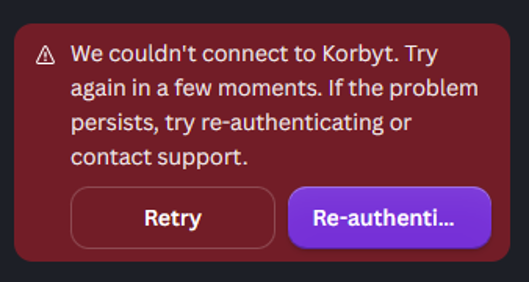
If you have any difficulty with authorization, please contact your Korbyt Account Team.
Once logged in, you will be able to configure more details about how your content is saved or used in Korbyt
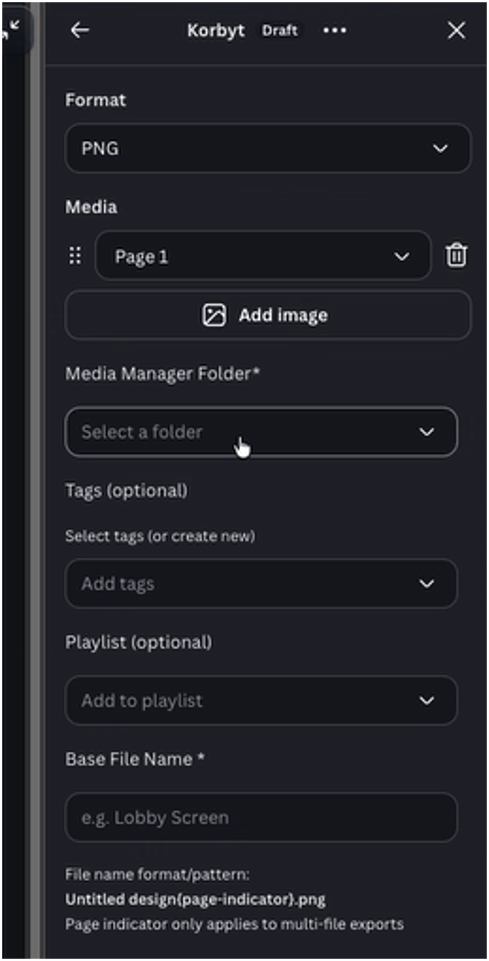
When saved, the item will be added to Korbyt in the Folder you selected with the Tags you selected
You will only see the folders you have access to in your Korbyt Tenant
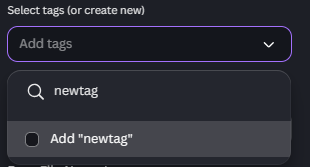
The tag dropdown will list tags that have been used already in your system
To add a new tag, type the tag into the search box and then check the box for add
Playlists available will be based on the playlists you have access to in your Korbyt Tenant
Once done, click Publish Now in the lower right corner

You will see a progress bar and then a success message
Clicking the Check it out button will take you to your Korbyt Media Manager

If a Playlist is following clever rules to automate your Tags or Folders, it will become part of that playlist automatically - see Creating and Managing Playlists
Other Options for Connecting Canva to Korbyt
Combining Canva’s ability for content creators to share a design as embeddable HTML Code and Korbyt’s ability to display embedded HTML code, it is possible to have an automated connection between content edited and stored in Canva but displayed on Korbyt-controlled screens.
For more details, see Automating Canva Content To Korbyt through HTML