Path To Cache & Agent Logs In Korbyt Desktop(InView)
How to navigate to find the Cache folder and Agent logs for Korbyt Desktop(InView) on the user's PC
Written By Ed Kinne
The path to find the Cache folder and Agent log is listed below:
“userprofile/AppData/Roaming/KorbytInview” this path contains both the folder for Cache and the list of all the agent logs
The picture below is an example of one of the PCS
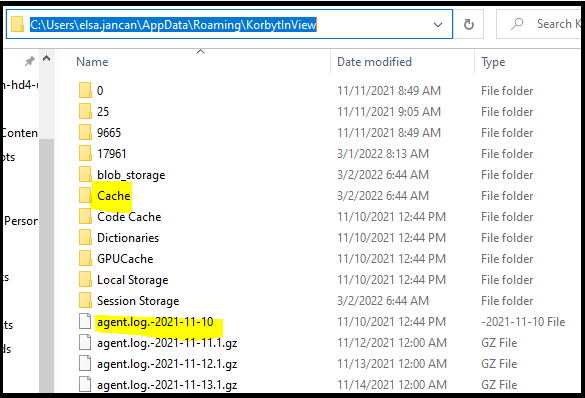
If the desired intent is to clear cache, navigate to the “C:\Users\userprofilename\AppData\Roaming\KorbytInViewCache” folder, delete all files from the Cache folder
If the desired intent is to review the Agent logs, they are listed under: “C:\Users\userprofilename\AppData\Roaming\KorbytInView” the most recent agent logs are at the bottom of the list.