How To Create A Sonar
Written By Ed Kinne
Sonar is a feature that allows you to share your content on websites, third-party sites, apps, and more.
It achieves this by creating a HTML/URL based feed of information from your Korbyt Tenant which can be viewed in by internet connected devices.
NOTE: Sonar is an additional paid service not included in some Korbyt bundles. Contact your Korbyt Account Executive for information about adding Sonar
To Create a Sonar in your Korbyt Tenant
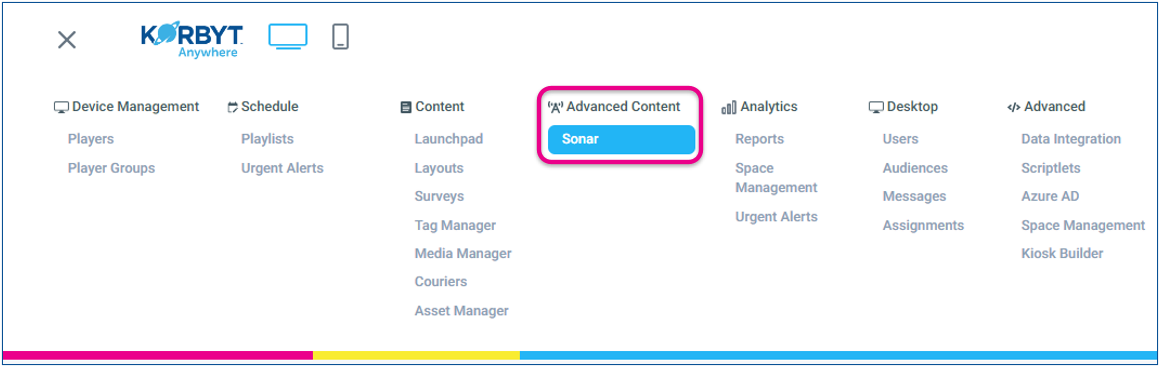
Open the Mega Menu. If your Tenant has the subscription to Sonar, it will be in the Advanced Content section
Click “Create Sonar” to select the type of content you would like to turn into a Sonar.
An individual Sonar can be created from A single Layout, A whole Playlist, or a single Desktop(InView) Message.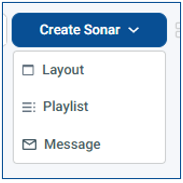
You can select a different type once on the Create Sonar Screen
On the Create Sonar screen
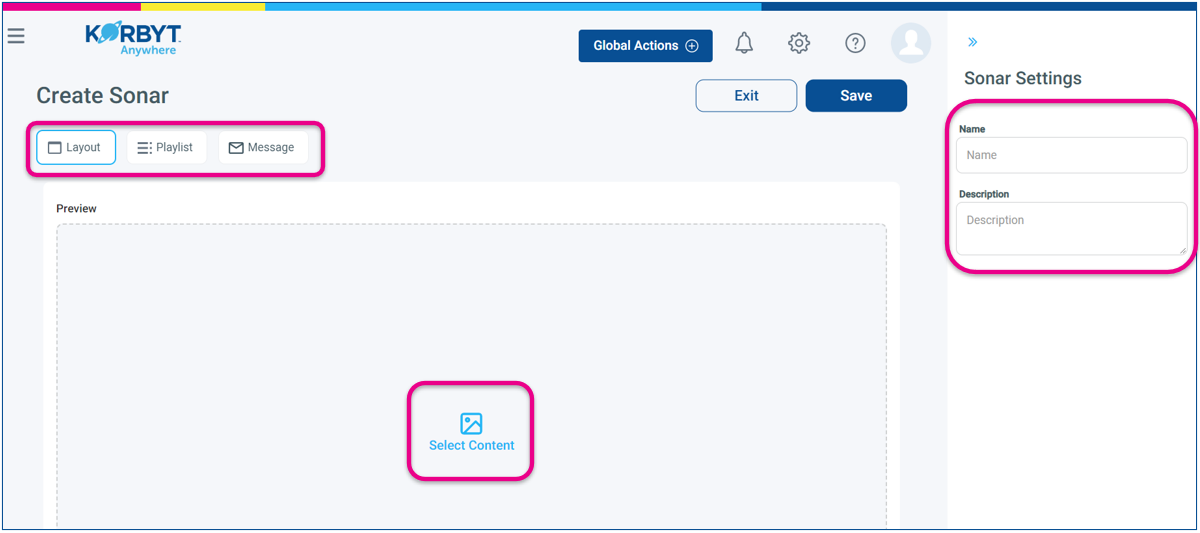
Give the Sonar a Name and optional Description in the upper right
Confirm/change the content type you are using in the upper left
Click Select Content in the center to view available items of the type you have selected.
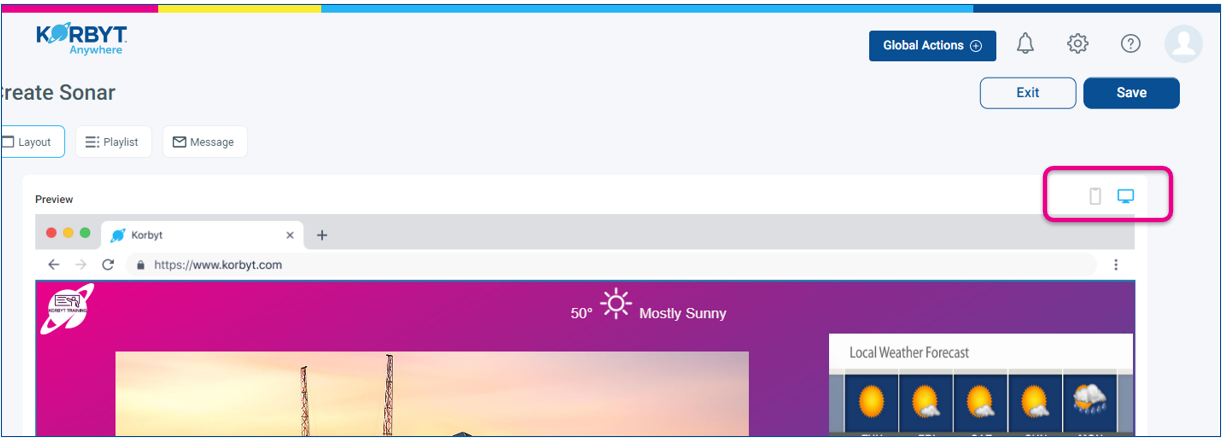
Once you have selected Content you will be able to preview it in a web browser or a mobile device
After clicking Save, you will have the ability to Copy either the Embeded HTML Code or the URL for the sonar

The URL could be displayed on any device that can view webpages
The Embeded Code could be added to existing sites that support embedded HTML elements
Due to the Sonars streaming the information to the viewer and the hardware limits of the device that is displaying it, Sonar can not support as complex a final message as dedicated Media Players or the Korbyt Desktop(InView) software