Korbyt Instant Screenshots
Real-time Screenshots is a subscription-based enhancement to Korbyt that automates screenshot capture of multiple players without waiting for the normal screenshot command to synchronize.
Written By Ed Kinne
Instant Screenshots Overview
Korbyt Instant Screenshot lets you view an on-demand snapshot of what’s currently playing on supported media players on the Player landing page when in card view — without sending a separate command and waiting for the next device heartbeat. This speeds up troubleshooting, verification, and audits.
If you do not have Instant Screenshots and would like to subscribe to this feature on your tenant, please contact your Korbyt Account Team or Product@Korbyt.com to discuss adding this feature onto your current subscription.
Firewall Port Requirements
For Instant Screenshots to function, you need to open the following ports
MQTT Port 1883
MQTT Port 8883
What’s Different with Instant Screenshots
Advantages of Instant Screenshots
Faster validation: Confirm recent content deployments without delay.
Better troubleshooting: See exactly what the device is showing right now.
Audit-friendly: Timestamped evidence for compliance or campaign verification
Limits and Considerations
Instant screenshot is available only for BrightSign and Windows players at this time.
BrightSigns players will need Korbyt Agent version 3.15 or higher
Windows players will need Korbyt Agent version 3.43 or higher
KDA players will need Korbyt Agent version 3.42 or higher
All players should be on PRT 3.12 or higher
Other device types will continue to use traditional screenshot functionality
Screenshot retrieval depends on device connectivity and network conditions.
The player must be active to capture and return a screenshot
Instant Screenshot is a feature of the Card View of the Player Page and the Player Edit page
Refresh-all applies to the currently visible page of player cards, not ALL players connected to the system.
How to Use Instant Screenshots
On the Player Landing Page
Through the menu, in the Devices section, click Players
On the Player landing page, ensure you are on card view
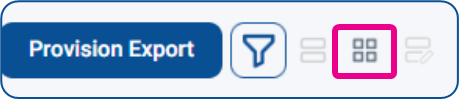
Watch as screenshots refresh automatically on load when opening the page
If moving through multiple pages of players, each page will refresh when you open it
Hovering your mouse over a tile will show either the time the screenshot was captured or a pending status
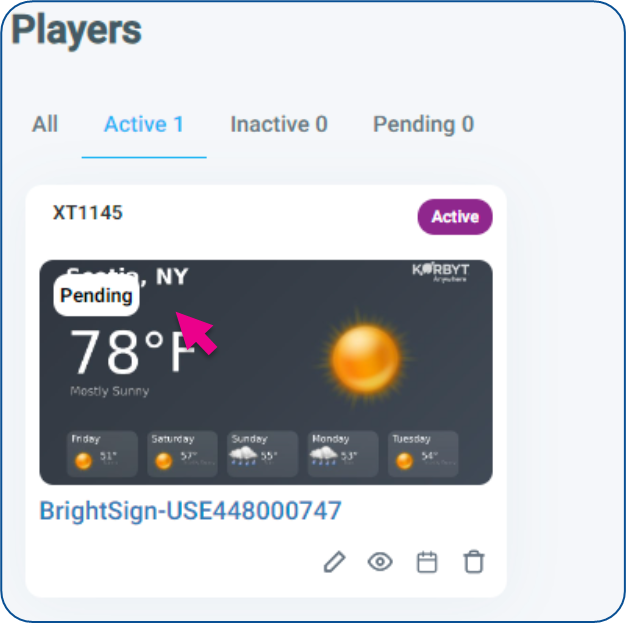
On the Player Edit page
Through the menu, in the Devices section, click Players
On the Player landing page, click on the pencil icon for a specific player
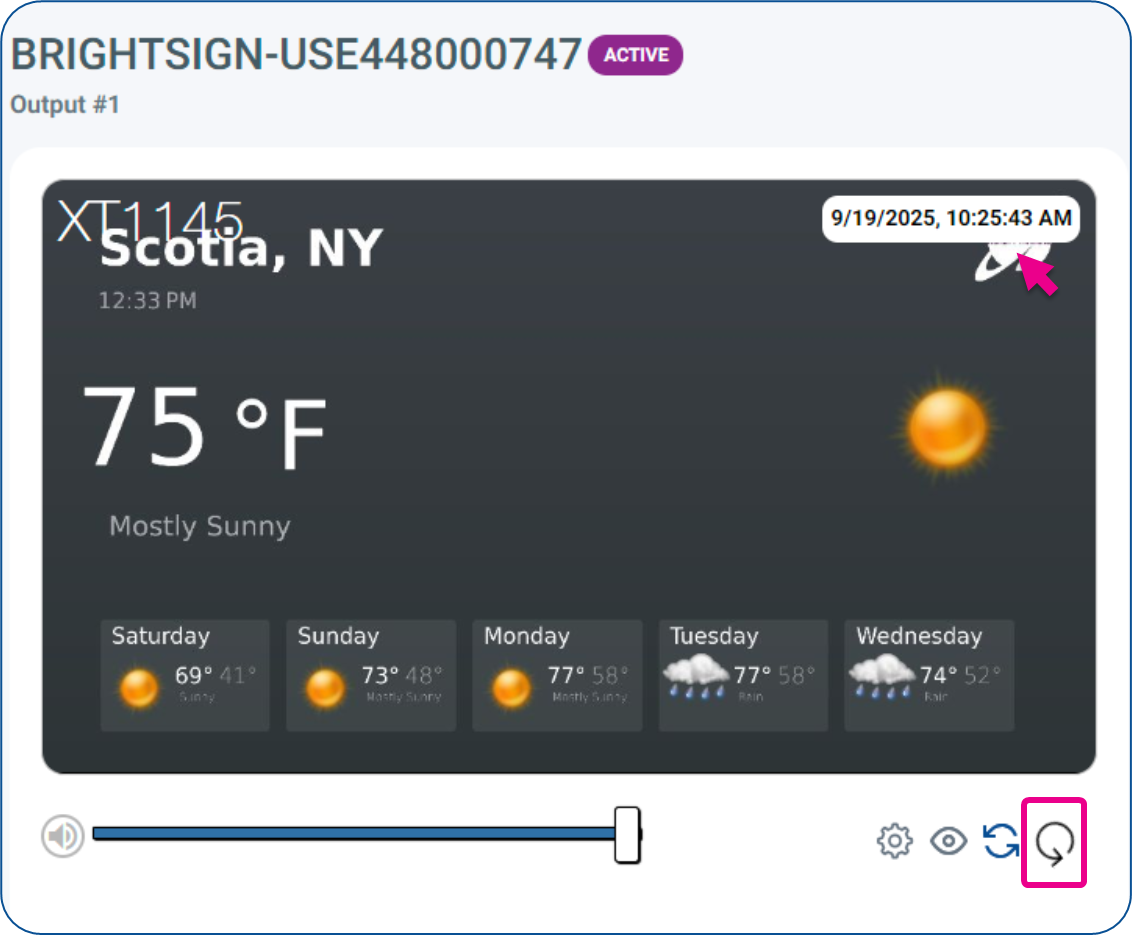
Click the Instant Screenshot Refresh button below the image to get an immediate capture and update of a new screenshot
Hovering your mouse over the image will show a time and date stamp for the last screenshot in the upper right
FAQ
Does this work if my device is offline?
No. The device must be online to return a new screenshot.
Will this replace the existing heartbeat-based screenshot?
No. Heartbeat-based and Reboot-based screenshots remain as an option; this feature adds on-demand capture for supported devices.
Where do I see the timestamp?
On the player card thumbnail
If on the Player page, it is visible with mouse hovering
On the Player Edit page, it is always visible