Scheduled Recurring Player Reboot
Setting a repeated reboot for a player
Written By Ed Kinne
Basics of Recurring Reboot Schedule
Some media player types support the Korbyt CMS scheduling recurring reboots. Setting a routine time for players to reboot. While this is not required, some clients prefer the ability to know that their devices have restarted themselves recently.
Below, we review the steps for setting up recurring reboots by player type.
General Notes on Scheduled Recurring Reboot
The schedule options available will vary based on player type
Tenant Administrator or Administrator access is required to schedule a reboot.
A reboot scheduled for an “Inactive Player” will be carried out when the connection is restored
Audit Logs will record reboot actions
Korbyt Windows Players (KWP) Reboot Scheduling
NOTE: You will want to ensure that the KWP device is configured in a way that will allow the Windows device to auto-start the KWP application
Scheduled Recurring Reboot on Single KWP Player
Through the navigation menu, in the Device Management Section, click on Players
Click on the Pencil Icon for the KWP Player you wish to schedule a reboot for
In the lower right, expand the Reboot Schedule section
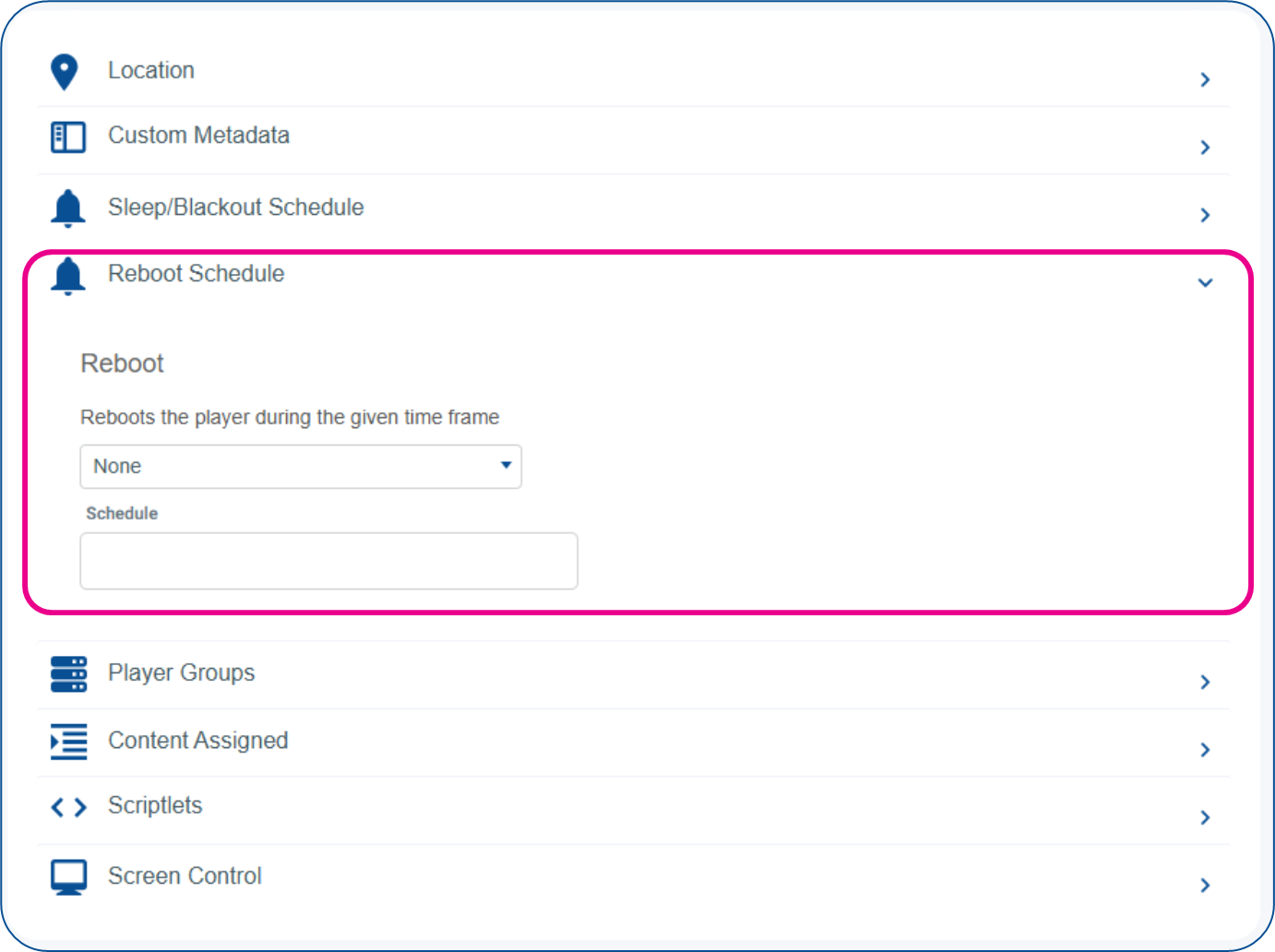
Use the first dropdown to set the frequency of the reboot
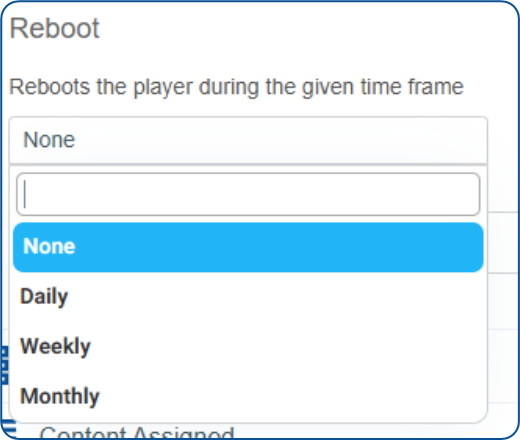
KWP Players allow for
Daily, at a specific time
Weekly, on a specific day at a specific time
Monthly on a specific date of the month
Click in the Schedule section to open the calendar/time selector to configure your schedule
Click the blue Save button in the upper right to send this new instruction to the player
Scheduled Recurring Reboot on Single KWP Player
KWP supports setting a recurring reboot assigned to a group of players. You will need to ensure that the group consists of ONLY KWP players.
Through the navigation menu, in the Device Management Section, click on Player Groups
Click on the Pencil Icon for the KWP Player Group you wish to schedule a reboot for
In the lower right, expand the Reboot Schedule section
Use the first dropdown to set the frequency of the reboot
KWP Players allow for
Daily, at a specific time
Weekly, on a specific day at a specific time
Monthly on a specific date of the month
Click in the Schedule section to open the calendar/time selector to configure your schedule
Click the blue Save button in the upper right to send this new instruction to the player
BrightSign Devices Reboot Scheduling
Currently, BrighSign only supports recurring reboots assigned to single players, not groups
Through the navigation menu, in the Device Management Section, click on Players
Click on the Pencil Icon for the BrightSign Player you wish to schedule a reboot for
In the lower right, expand the Custom Properties section
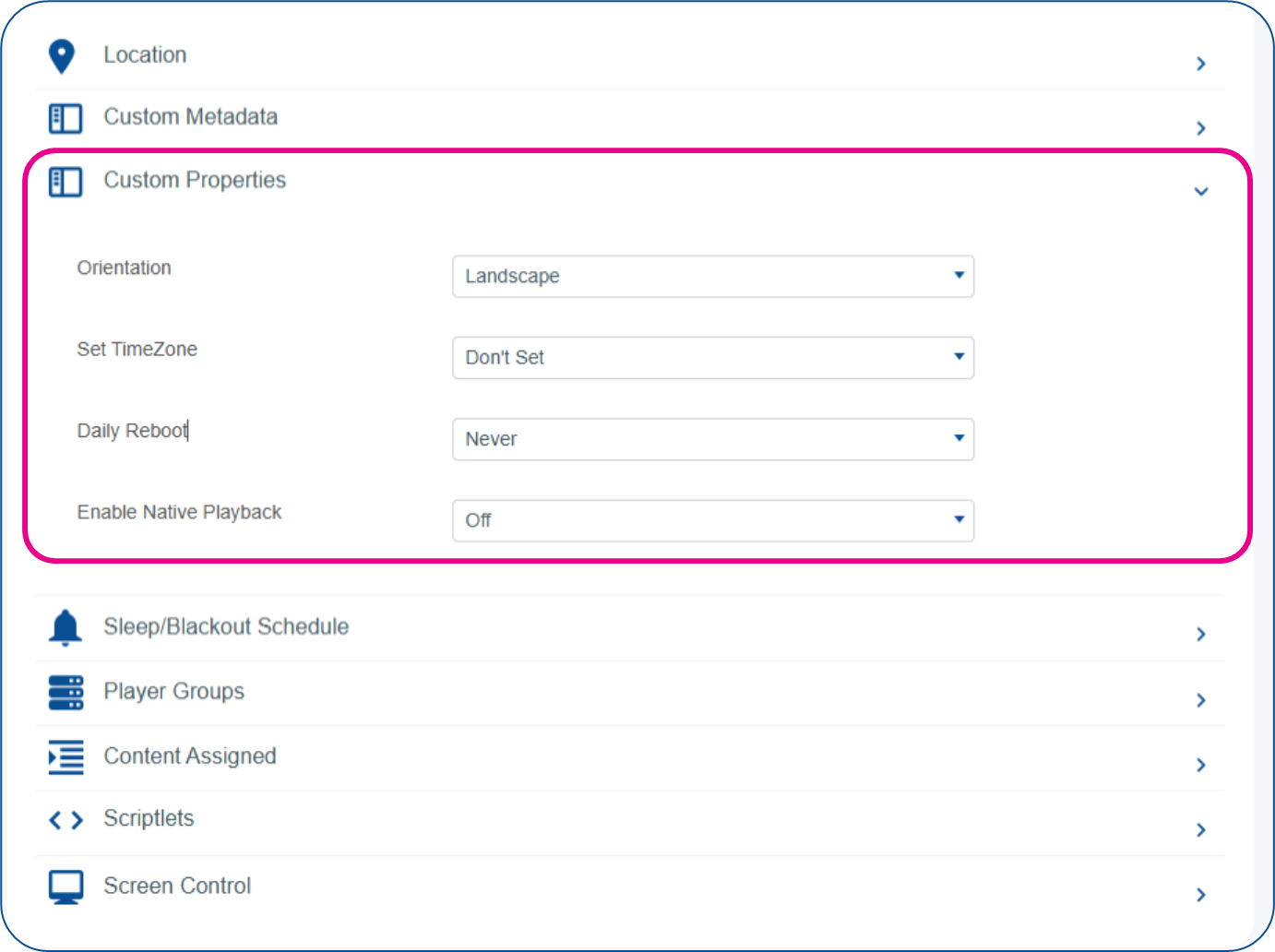
Click the Daily Reboot section to schedule the time each day you would like the player to reboot
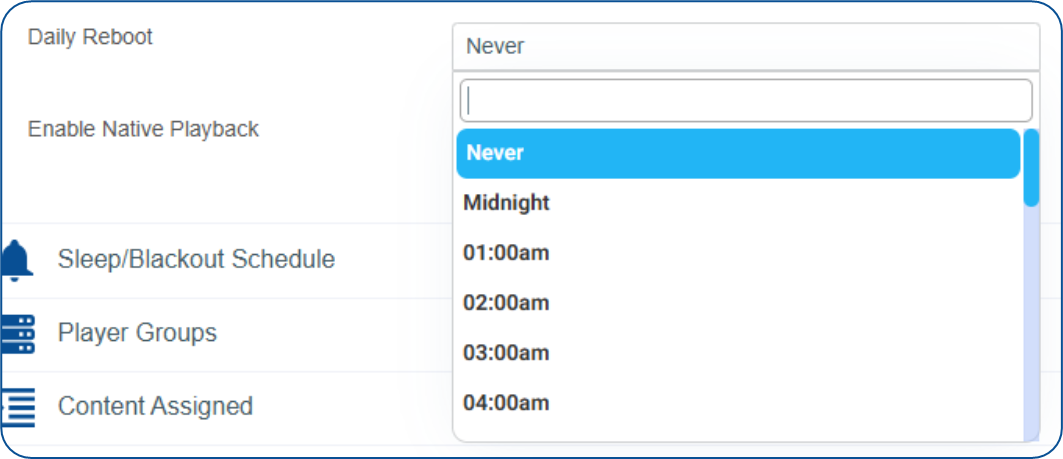
BrightSign Players only allow for Daily reboots at this time
Click the blue Save button in the upper right to send this new instruction to the player