How To Use a Playlist Element
The Playlist Element allows you to have a Playlist present and showing in a section of a Layout.
Written By Ed Kinne
The Playlist Element allows you to have a Playlist present and showing in a section of a Layout.
This is most commonly used to have a Layout that includes elements such as date and time, weather, and a logo, always be present while items in the playlist show in a section
The Playlist Element will not display content in the Builder Tool while you are editing and need to be previewed from the Layout List
Adding a Playlist Element
When you add a Playlist Element it will open a menu for you to select the Playlists that you would like to show. You can select 1 playlist or several.
You should build your Playlist first, even if the Playlist is blank
After you select your Playlists, the titles of the playlists will show in the Element container. The Playlist items will not play while you are editing the Layout.
Editing a Playlist Element
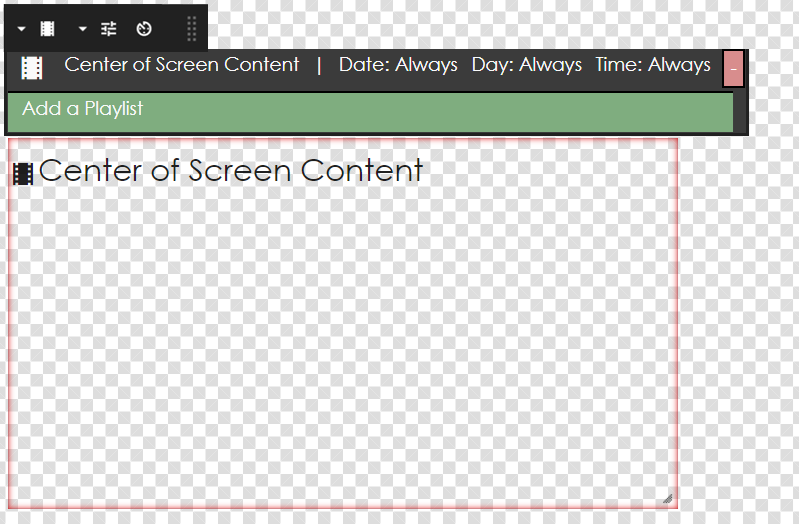
The Edit Options within a Playlist Element involve selecting the Playlists you would like to include. The Playlists that are included in this way will follow whatever logic and scheduling instructions that are already written in the Playlist. If you want to edit those types of information, you should edit it on the Playlist itself.
Icon | Setting Description |
 | Edit Playlists allows you to change the Playlists that are included in this element |
 | Billboard Playlist allows you to link two playlists so that interacting with the source playlist and pull up a corresponding playlist at the matching playback position on the target playlist. 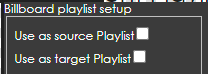 For example, if Source Playlist is on the second item when that item is clicked it makes the target playlist visible showing its second item |
 | Play All is a toggle that will make the layout that is holding this embedded playlist remain on the screen until all the items within this embedded playlist are played  For this feature to work the Player must be using Korbyt Player Software 3.4 or higher and Runtime Environment (PRT) 3.7 or higher, but for best results Players SW and PRT should be at the highest available |
Previewing a Layout that has a Playlist Element
Due to the complexity of bringing a Playlist into a Layout, the normal “Preview” eyeball that is at the top of the control panel will not be sufficient to preview with the Playlist Items playing. If you use this preview option, you will see all the other Layout Elements preview as normal, but the Playlist Element will only show the title of the Playlists that have been included.
If you want to preview the full Layout with Functioning Playlist Elements, you will first have to publish the Layout, and then use the preview option in the actions of the Layout List
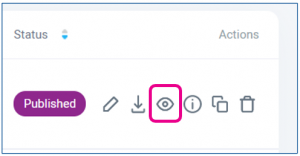
This preview option will show the Layout with the Playlist Content showing as it has been programmed in the Playlist.