Capture Dashboard Screenshots and save them to Media Manager with Korbyt Capture
A feature that allows Korbyt to access another service's visualization of your information and capture screenshots of those dashboards they have so that they can be displayed on screens
Written By Ed Kinne
This is not related to Player Screenshots fo what is currently being seen on screen
For details on Korbyt Instant Screenshots see Korbyt Instant Screenshots
For details on standard Media Player Thumbnails see Player Settings - Controlling and Configuring Media Players in the CMS
Korbyt Capture is a Korbyt service that enables Korbyt to capture current screenshots from your existing Dashboard, KPI, or any other type of service. Those screenshots can then be displayed on your Korbyt Signage.
Designed for services lacking a direct API integration option to Korbyt, or when you wish to show the information in a dashboard format that users are already familiar with.
If you do not have Korbyt Capture, and would like to subscribe to this feature on your tenant, please contact your Korbyt Account Team or Product@Korbyt.com to discuss adding this feature onto your current subscription.
Viewing Screenshot Scripts
Korbyt Capture can be found in the Menu, under the Advanced section, and then click on Capture.
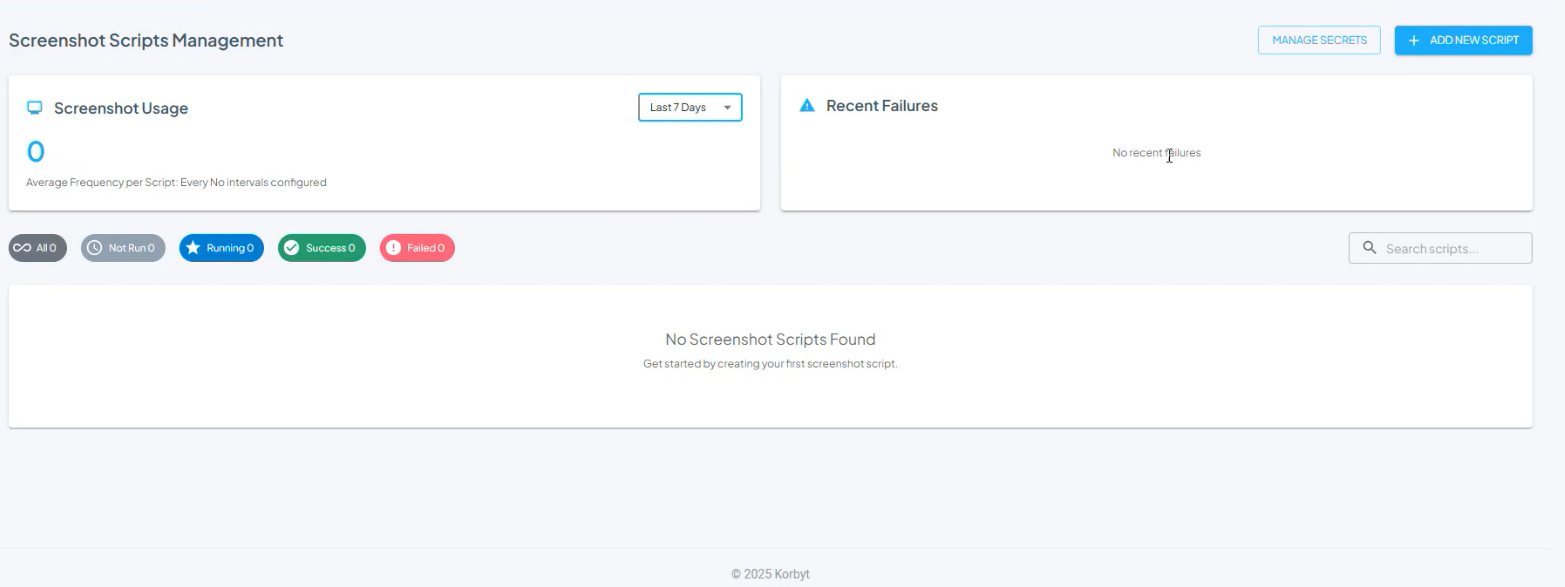
The service operates through a custom-written script that logs into your dashboard service, navigates to a specific dashboard, and captures screenshots at set intervals, as often as every 5 minutes. Writing these scripts requires direct support from a Korbyt team member.
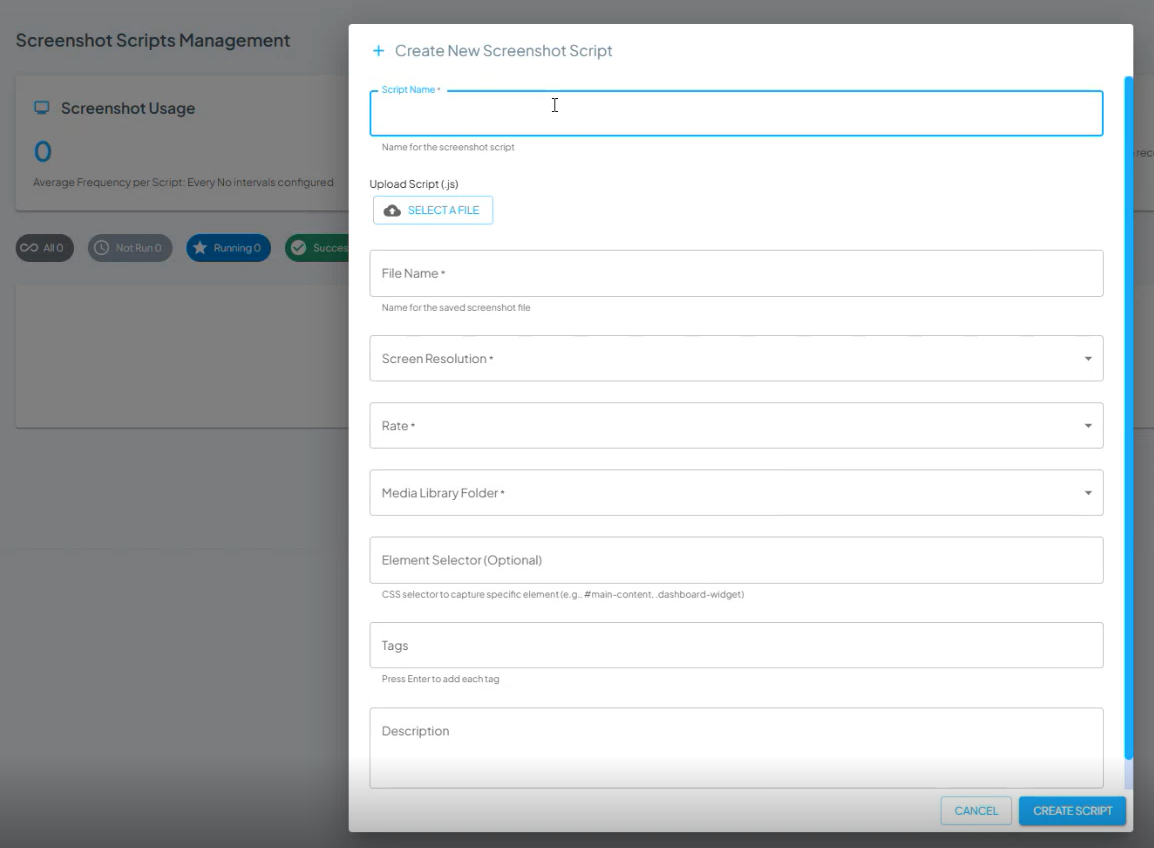
Captured screenshots are saved to a Media Manager folder that was selected in the scripted instructions. Tags can also be configured in the script to be attached to every screenshot captured.
Those screenshots can then be added to playlists through a Clever Rule to always display the most recently captured screenshot from the Media Manager folder, or based on the tag assigned. For more information, see Creating and Managing Playlists
FAQ
Can Korbyt Capture work through an SSO login?
No, Korbyt Capture scripts require a set username and password combination and can not be tied to SSO
How often can the Korbyt Capture get an updated screenshot
The utility can be set to run as often as every 5 minutes
Depending on your needs, you can select 5 min, 15 min, 30 min, 1 hour, 2 hours, 4 hours, 6 hours, 12 hours, or 24 hours intervals
At what resolution are the screenshots captured?
The screenshots can be set to 1280×720, 1920×1080, or 3840×2160 for Landscape or 720×1280, 1080×1920, or 2160×3840 for Portrait
Resolution choice will control the shape of the dashboard when the screen capture is taken.
You should preview your dashboard at the selected resolution to make sure you are satisfied with the way the information is presented.
We are exploring additional resolution options for the future.