Launchpad Publishing and Approval Process
Launchpads in Korbyt allow CMS Users to create a new published Layout by filling in a Template in the CMS, or using the CreateAI process to generate a Launchpad
Written By Ed Kinne
This article will reviews the steps a user will take to use Launchpad Tempaltes.
This process uses Predefined Layouts. Predefined Layouts For Web Based Submission has information on how to build new layouts to be shared.
The Launchpad System is can be configured to operate in specific ways for your tenant that may not be standard. Launchpad Options and Settings reviews these.
Launchpad User Steps for Creating with a Launchpad
The Launchpad section of Korbyt is available to all CMS Users except Read Only Users.
For details on user roles, visit Content Managers (CMS Users) Roles And Abilities
In the Content section of the navigation/mega menu, click on Launchpad
The Launchpad screen gives users the ability to select available templates to fill in and publish
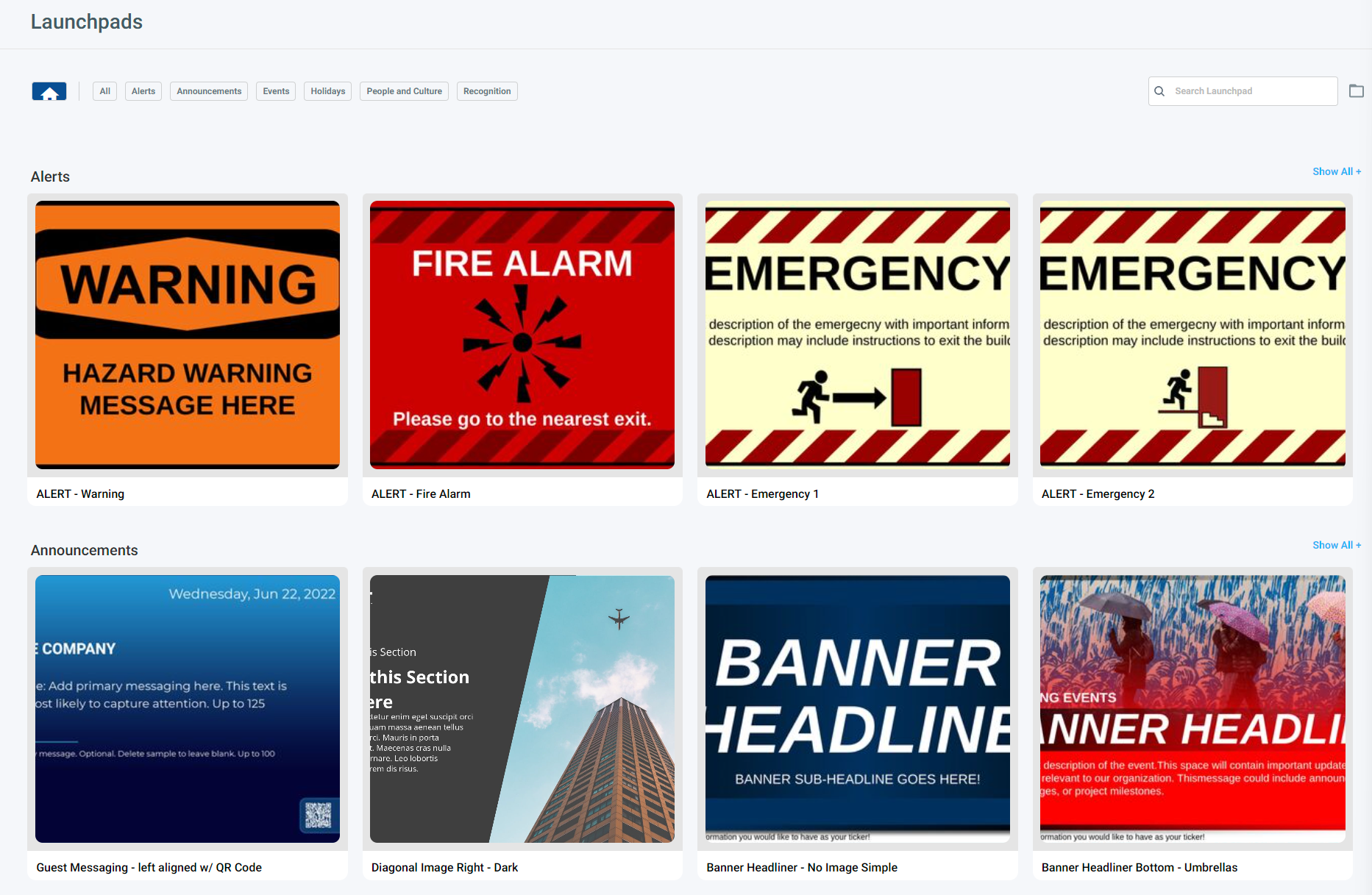
Users who are Launchpad Only will only have the Launchpad screen available when they use the CMS
Categories at the top can be selected to limit the view to help find a specific template
The upper right also has a search field to find them by name
A Folder View can also be turned on, so users can select from folders that are available to them
Users click on the template they wish to use
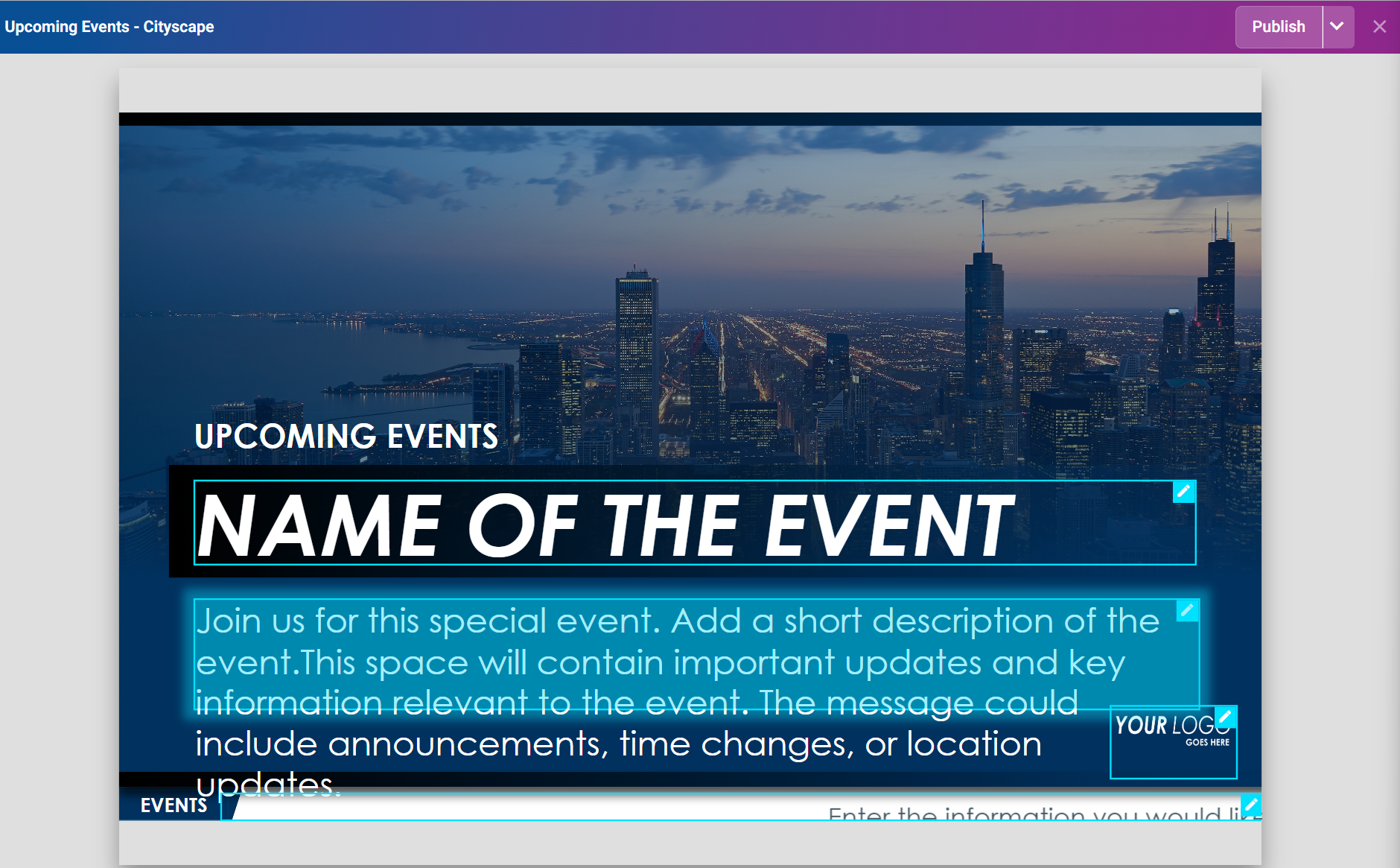
They then click on the pencil icon for the field to edit it
This opens a panel on the left side to set the new value for that field
When done, they click the Publish Dropdown in the upper right
The options presented when a user clicks Publish will depend on the way the administrators have configured the system and the way that the specific template has been built, as described in Launchpad Options and Settings most significantly is if Launchpad Approval is turned off or on.
Launchpad Approval Turned Off (system default)
Users will be presented with these options based on the individual template
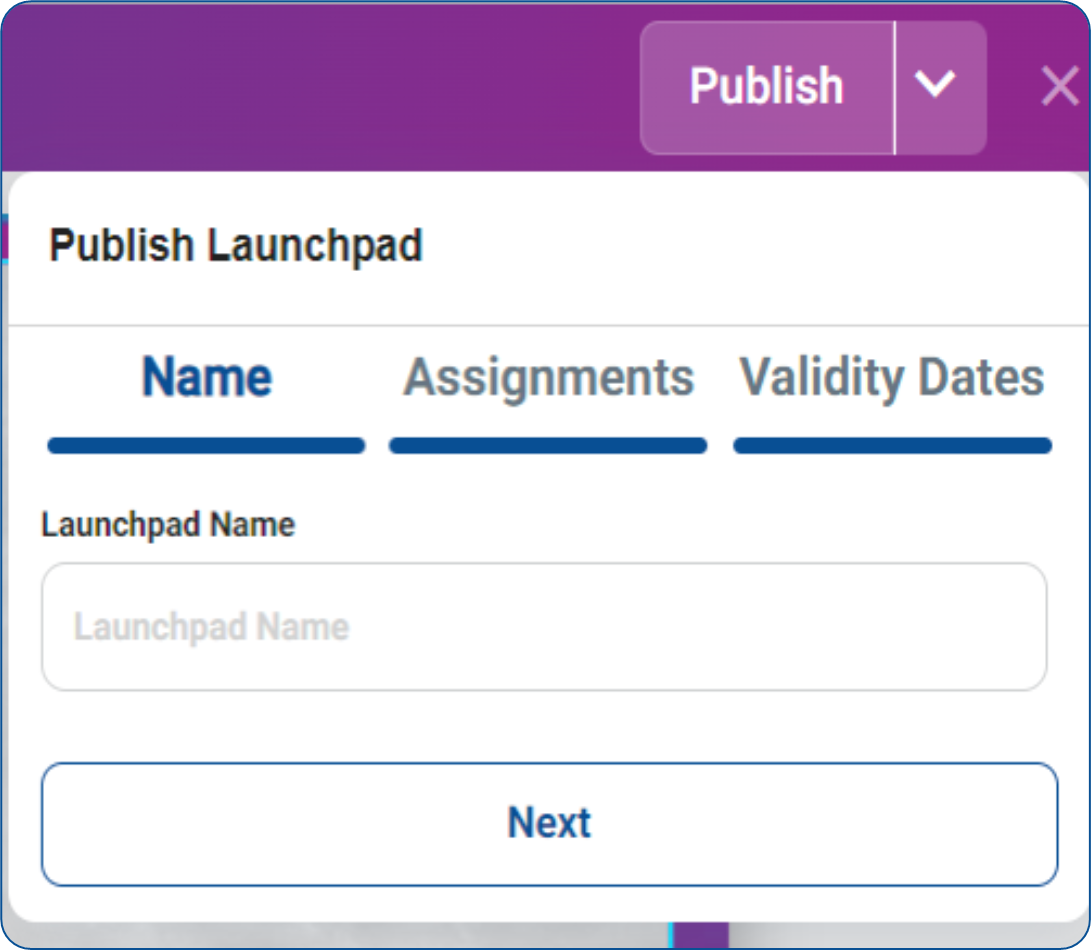
This will allow them to set the Name
Select Players if “Publish to Players/Player Groups” is enabled
And set the Validity date if available/required, and click Publish
The result will be
A new Published Layout, viewable in the Layout Screen
The name will be the name entered in the Launchpad
Any Tags that are part of the Launchpad Template will be added to the Layout
Any Validity Dates entered will be set in the Layout
IF “Publish to Players/Player Groups” is enabled and a Player or Player Group is selected
There will also be a new Playlist Created as part of the playlist
The Playlist name will be the name entered in the Launchpad
The only item on the Playlist will be the Launchpad, programmed for either 20 seconds or the custom duration set in the Settings
The Playlist will be assigned to the Players or Player Groups selected in the Launchpad Publishing
If “Publish to Playlist is enabled, the item will be added to the selected existing playlists
The item will be added to the selected playlist once Approved/published.
Launchpad Approval Turned On (Optional Setting)
If your system administrators have enabled Launchpad Approval Requirements, Author Users and Launchpad Only Users will be prompted to select approvers for their submissions. where they can select who should be alerted that the design has been submitted for approval.
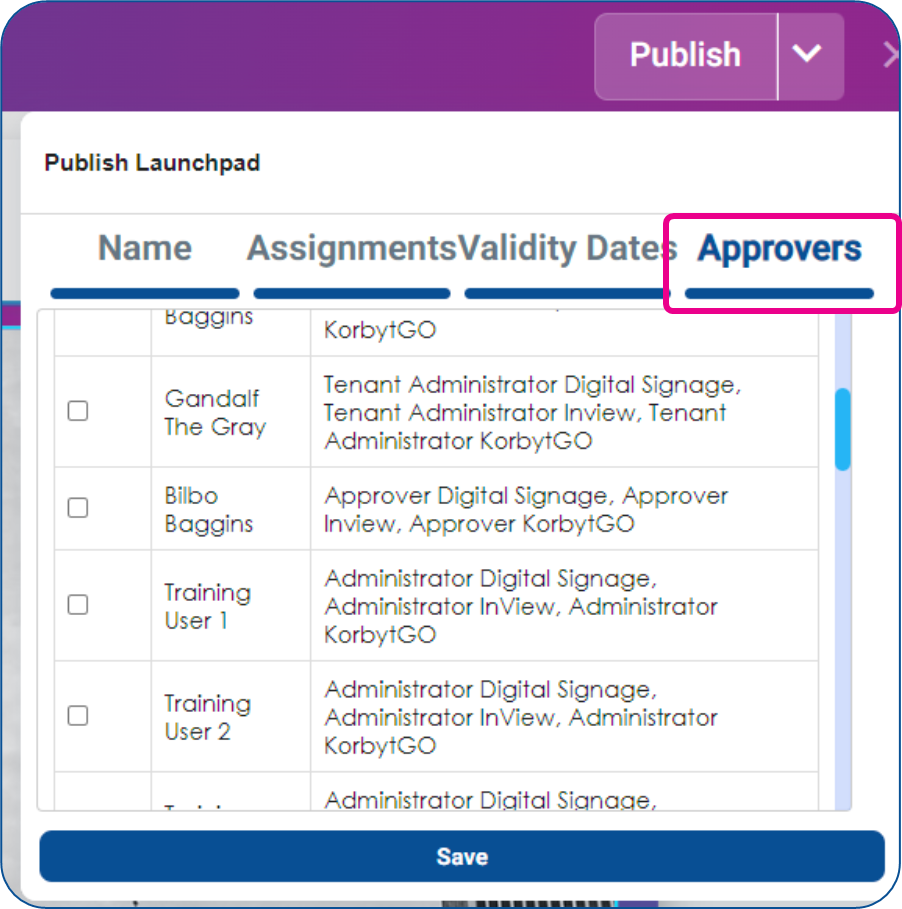
This will allow them to set the Name
Select Players if “Publish to Players/Player Groups” is enabled
And set the Validity date if available/required
Select Approvers to be notified
And click Publish
The result will be
A new DRAFT Layout, viewable in the Layout Screen
The name will be the name entered in the Launchpad
Any Tags that are part of the Launchpad Template will be added to the Layout
Any Validity Dates entered will be set in the Layout
Approvers that were selected will receive an email stating that the design needs to be reviewed and approved
IF “Publish to Players/Player Groups” is enabled, there will also be a new Playlist
The Playlist name will be the name entered in the Launchpad
The only item on the Playlist will be the Launchpad, programmed for either 20 seconds or the custom duration set in the Settings
The Playlist will be assigned to the Players or Player Groups selected in the Launchpad Publishing
If “Publish to Playlist is enabled, the item will be added to the selected existing playlists once published
If a user is at the Approver level or higher user role, no further approval will be required for their Launchpad creations.