How can I create a booking with Multiple Spaces?
Within Korbyt Bookit, you can book multiple rooms at one property at the same time.
Written By Dr. Melanie Uriarte
Last updated Over 1 year ago
Creating a New Booking
The New Booking screen displays upon log in

In the Search Panel, enter your space criteria
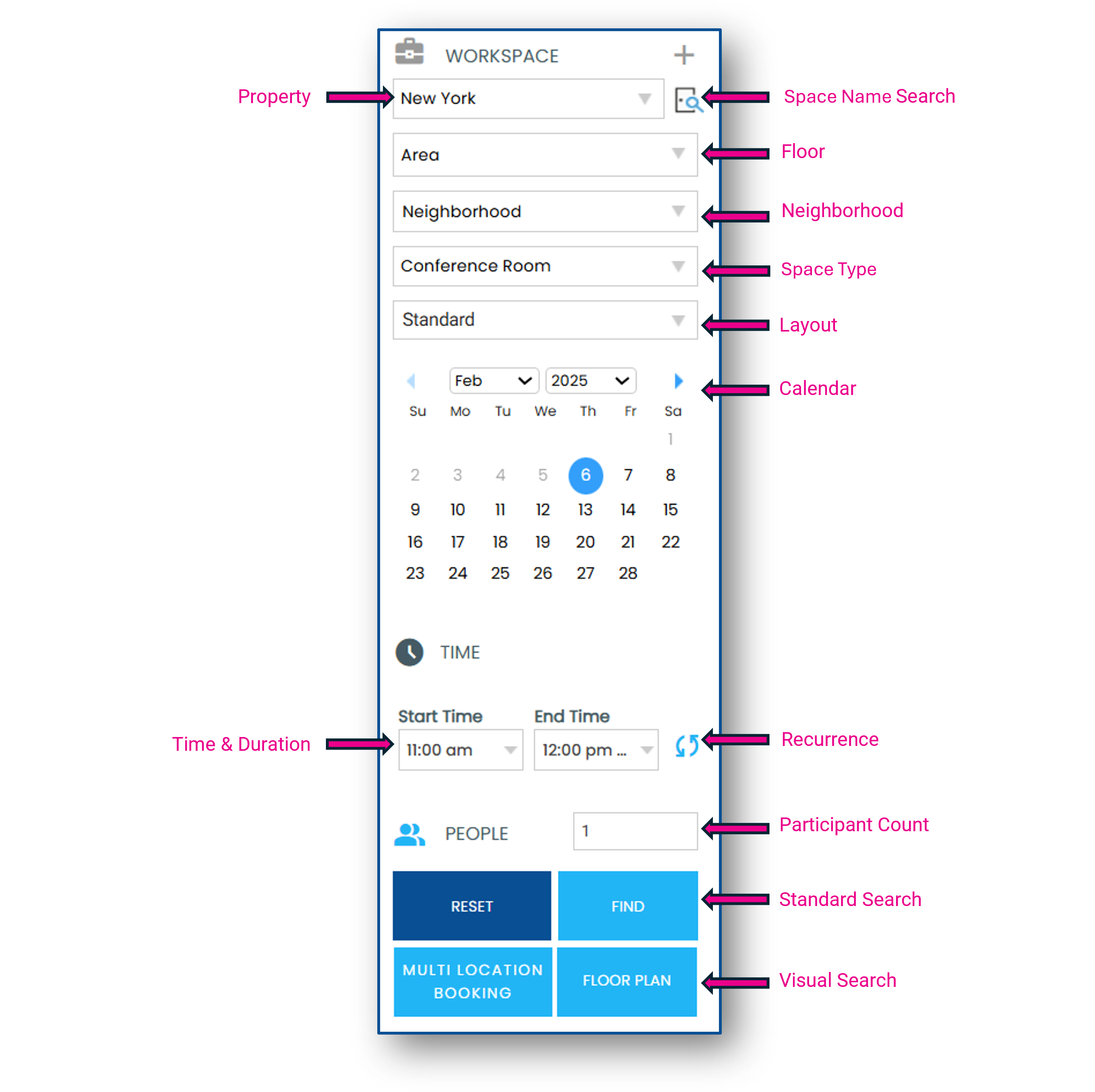
Find starts a standard search and shows a list view of matching spaces
Selecting Multiple Spaces
Click on the exact match time slot in each space you would like to add to your booking or the checkboxes to the far right of each space. Your selected spaces will appear under My Selection at the top of the screen.
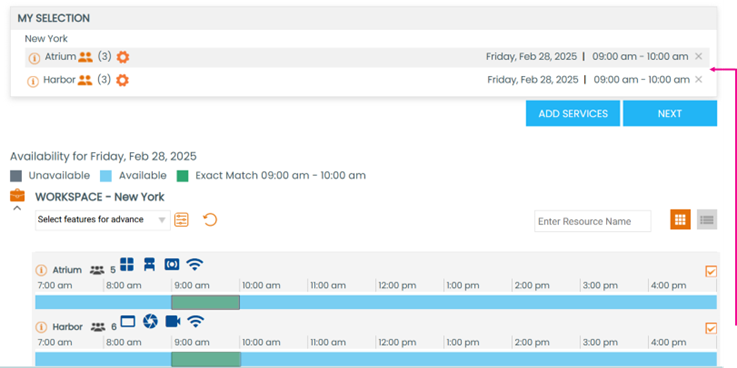
You can choose to Add Services, Add People or click Next to proceed to the Booking Summary screen and complete your booking.