How can I add Services?
Services are optional items that can be added when creating a booking. Services are also space specific so some services may not be available at all locations/spaces.
Written By Dr. Melanie Uriarte
Last updated Over 1 year ago
Use the Search Panel to identify criteria for your booking
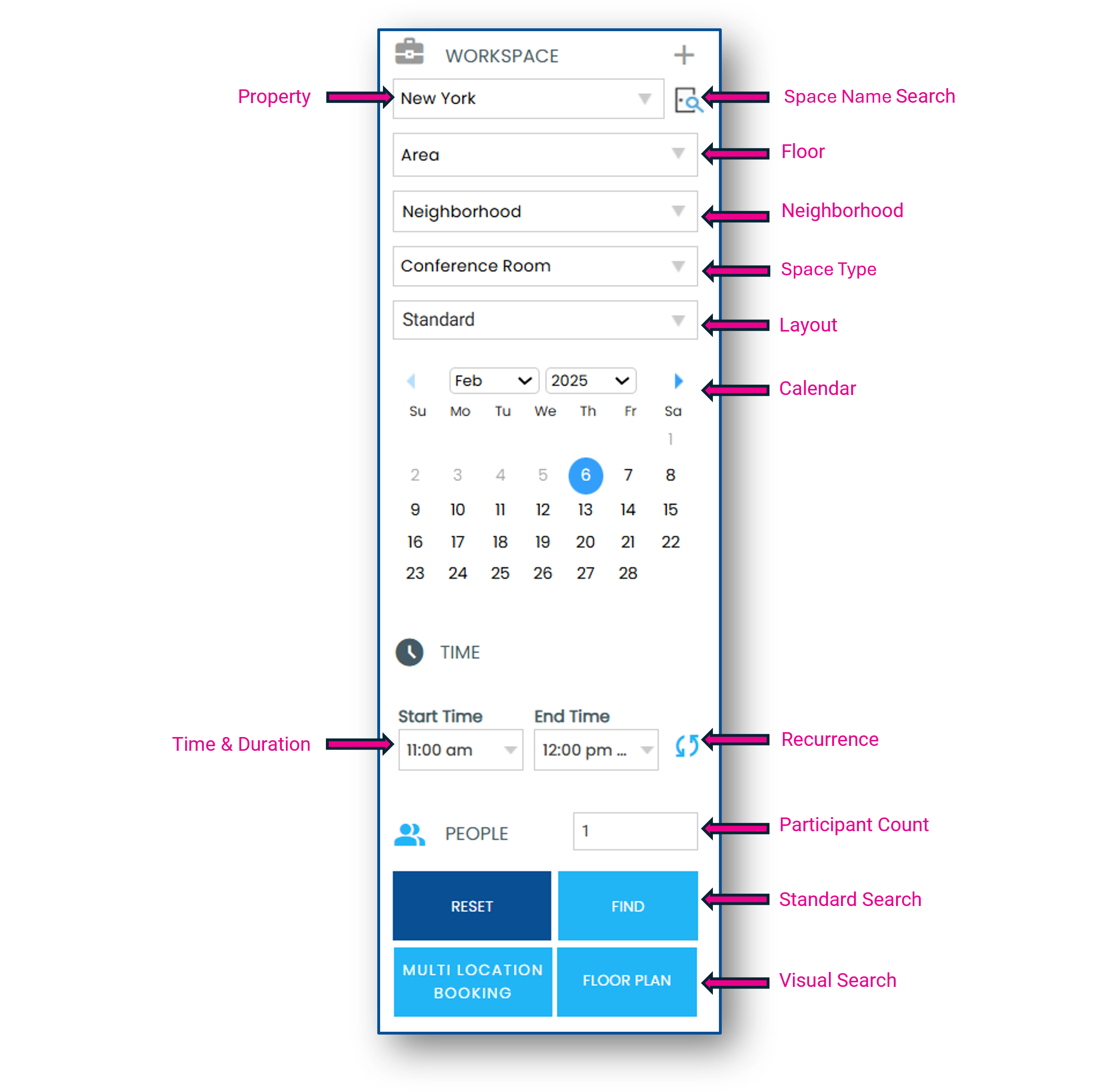
Select a space and click Add Services

Services are displayed alpha-numerically by category, subcategory, and item
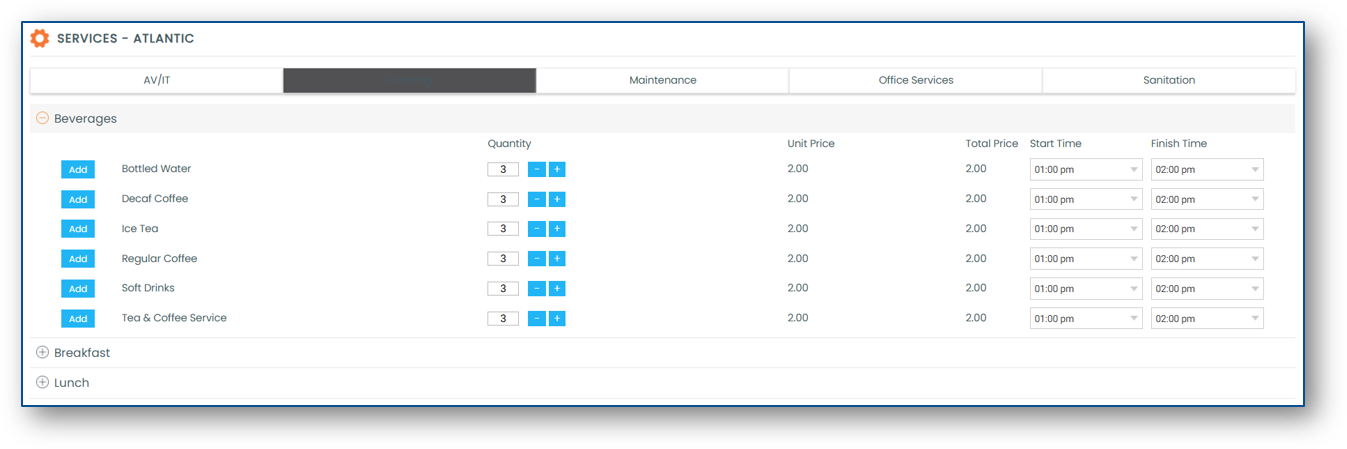
Select the quantity of the service item(s) you want added to your booking and click the Add button
The Start Time and the Finish Time of the service can be modified

You can add a note to your service item(s) by clicking the notebook icon once they are added to your booking
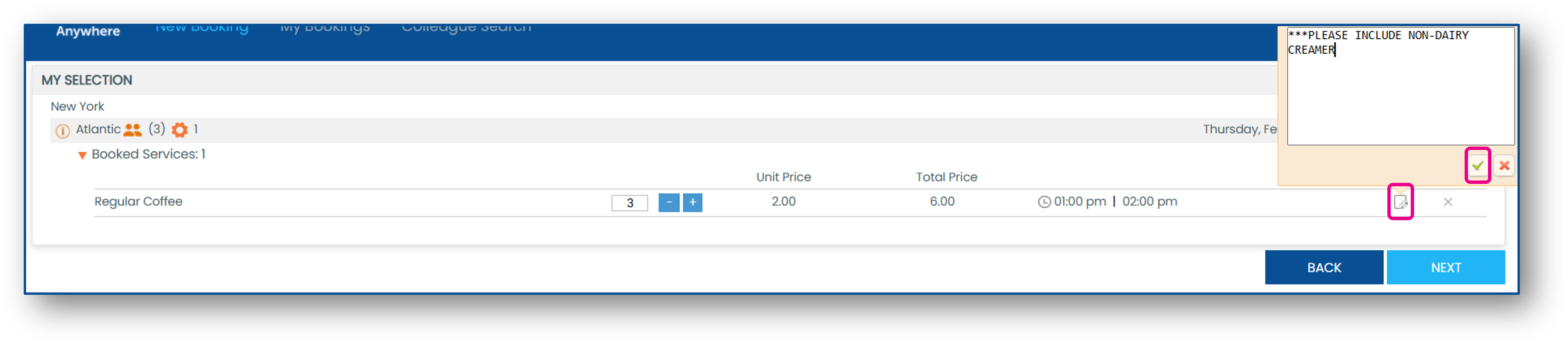
If you have multiple spaces attached to a booking, be sure to click the room name at the top to toggle between spaces and add the desired services

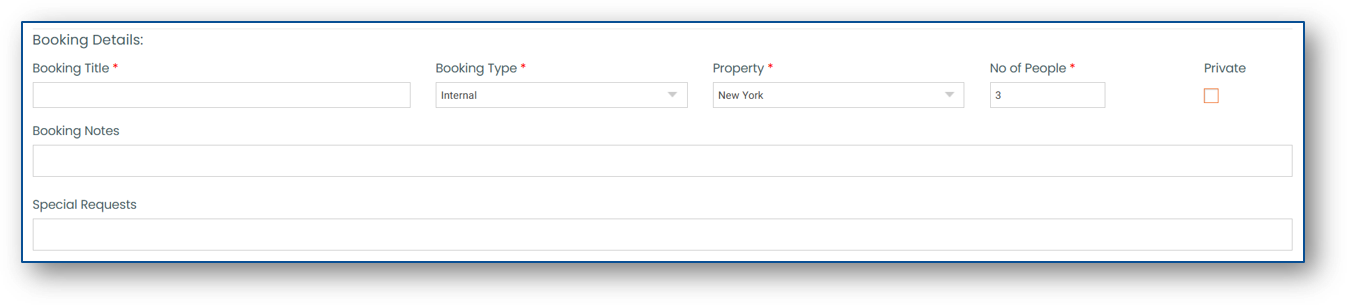
Once you have added the desired services to your booking, click Next and complete your booking by completing the Booking Details