How can I view My Bookings?
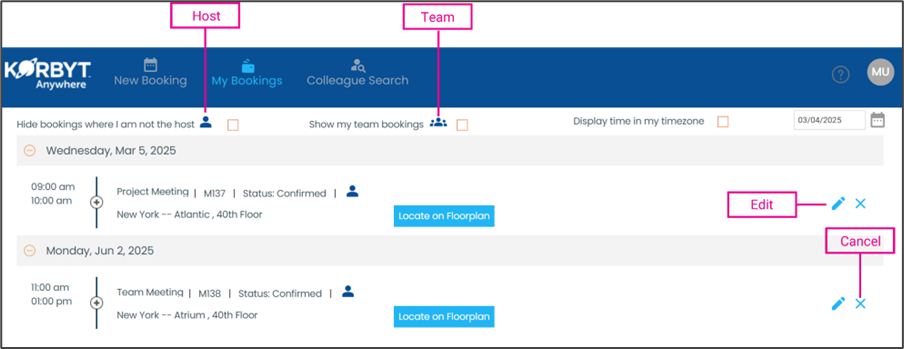
The My Booking screen shows all future bookings you have created.
Written By Dr. Melanie Uriarte
Last updated Over 1 year ago
Click the My Bookings button
To only view bookings where you are host, click the checkbox next to the host icon
To only view team bookings (if in use), click the checkbox next to the Teams icon
To edit a booking, click on the edit icon to open the booking and make the necessary changes
To cancel a booking, click on the X icon