Korbyt Bookit – Quick Reference
Korbyt Bookit is the end user interface for the Korbyt Booking resource management and scheduling solution.
Written By Ed Kinne
Last updated Over 1 year ago
Korbyt Bookit is available on the web and as an Outlook plugin.

Creating a New Booking
The New Booking screen displays upon log in

In the Search Panel, enter your space criteria
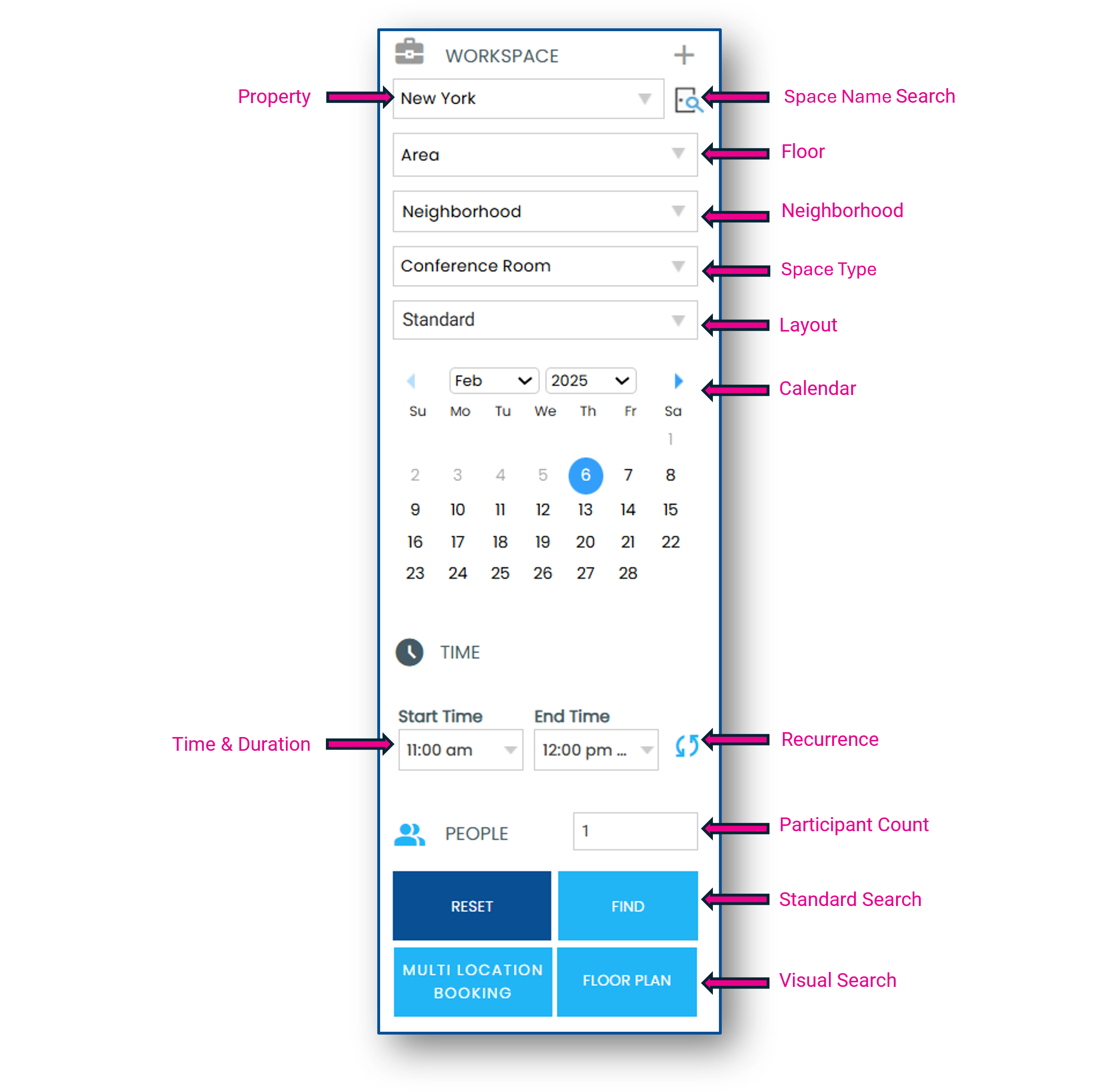
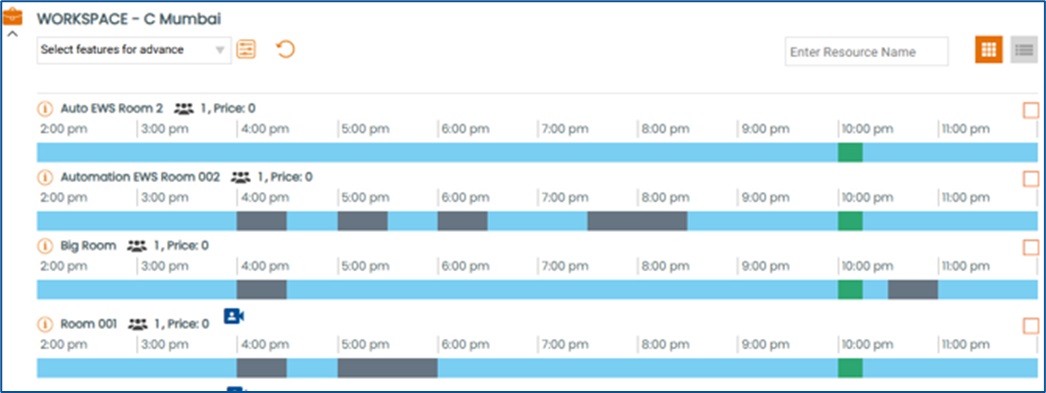
Find starts a standard search and shows a list view of matching spaces
Floor Plan starts a visual search of matching spaces
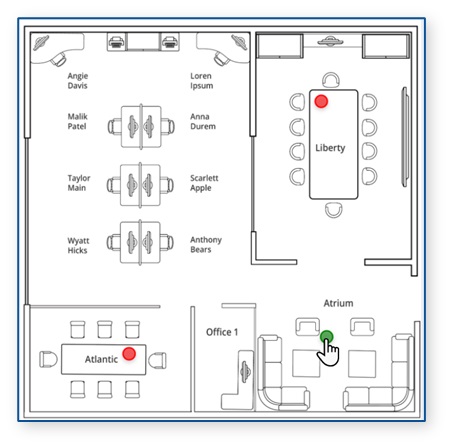
Select a space
From the standard search, you can select the Advanced Filter to narrow your search results by room features
In the search results, the icons to the right of each space name indicate the maximum capacity and features
Select your space by clicking on the exact match time slot, or check the box to the far right of the space
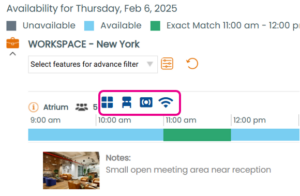
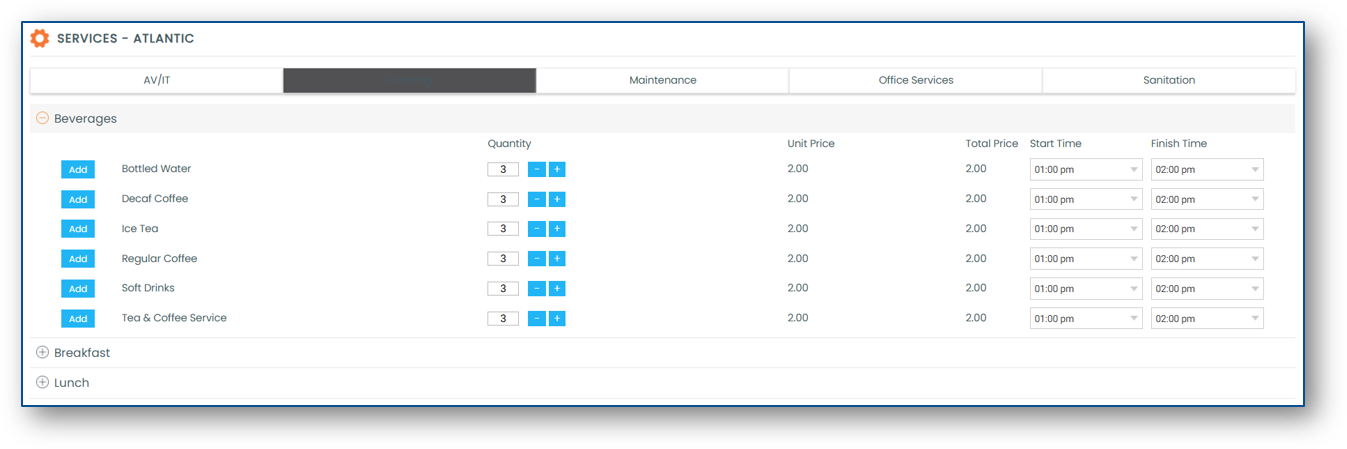
Add Services
From My Selection, click Add Services to view the bookable services and equipment

Click Add next to the service or equipment you would like to book
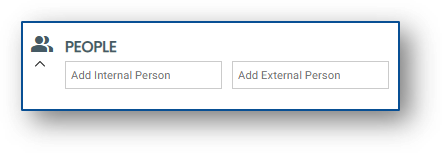
Add People
Search for internal or create new external attendees to add to your booking
Add your Booking Details
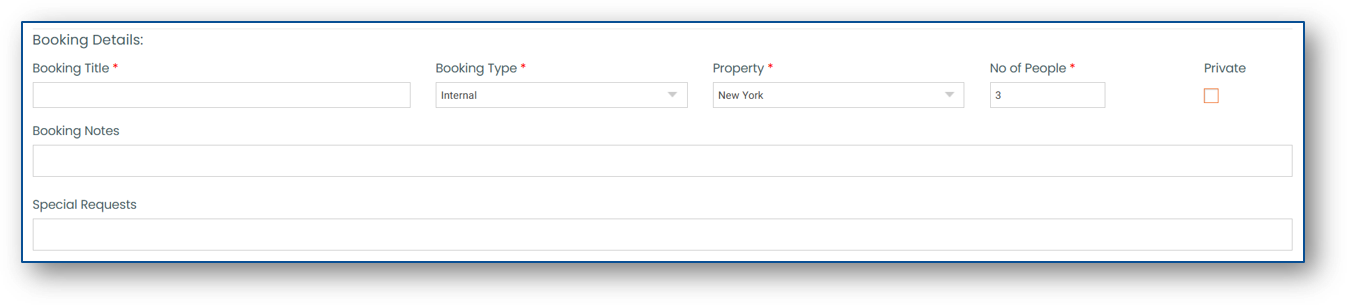
Complete your booking by selecting the Book button

Viewing and Editing Bookings
Through the Bookit interface, viewing and editing is only available in the web version.
In Outlook, events can be viewed and edited directly from the event in your Calendar.
Click My Bookings to view your meetings
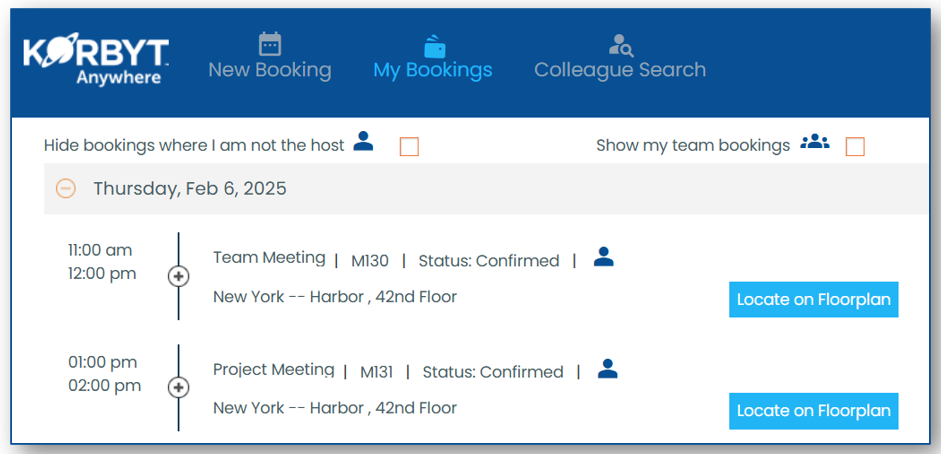
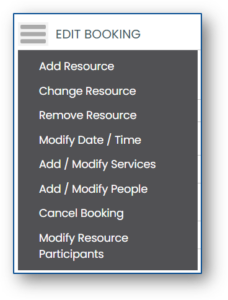
To edit a booking, click the edit pencil icon next to the booking, then click the menu to view the editing options

In Outlook, you can edit details by opening the event and relaunching the Korbyt Bookit add-in