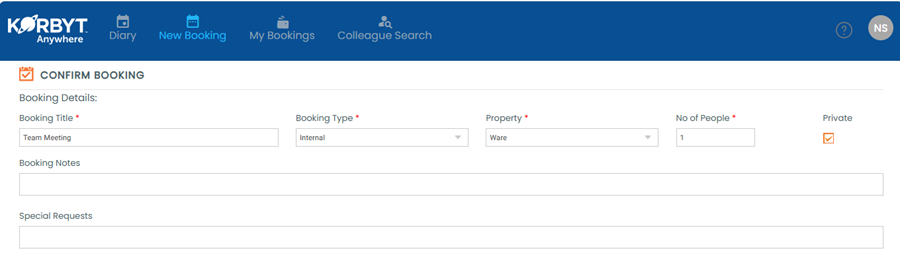
How can I create a Private Booking?
When creating a booking that needs to be kept confidential, a user can turn it into a Private Booking. Information about the booking is hidden in the main Korbyt Booking web application’s calendar view. The booking title will display as a Private Booking. The availability of this option will depend on user permissions.
Written By Dr. Melanie Uriarte
Last updated Over 1 year ago
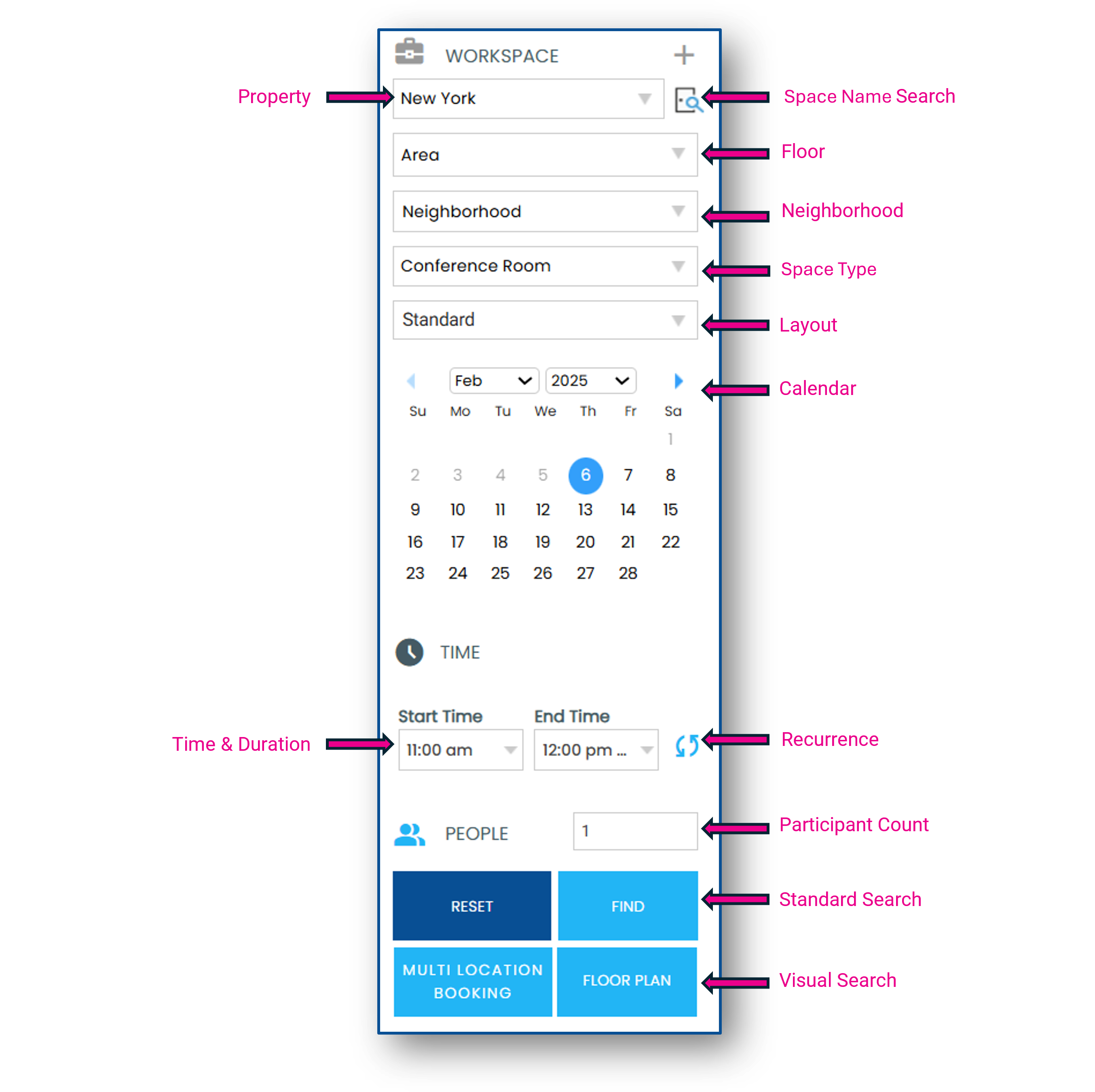
Use the Search Panel to identify the criteria for the space you require
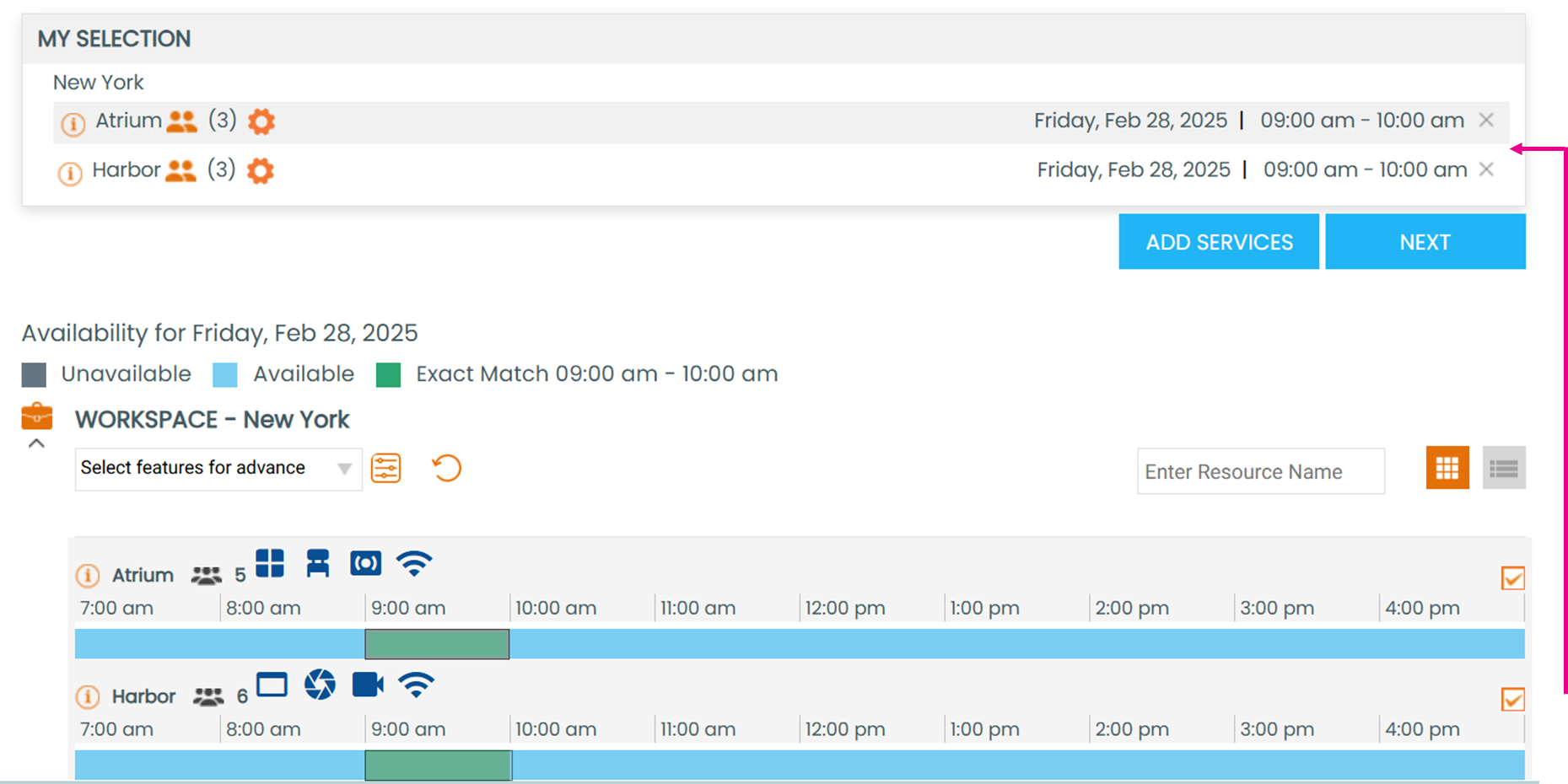
Select a space, then click Next
To create a Private Booking, select the checkbox next to Private and then, click Save