Korbyt Service Tracker Release Notes V4.0
This update represents a significant step forward in the reliability, longevity, and user experience of the application, while preserving all the functionality you are familiar with from the previous version.
What's New ?
Rebuilt on a Modern, Supported Platform
The application has been rebuilt on an up-to-date platform to ensure it remains fully supported, secure, and compatible with the latest devices and operating systems for years to come. As a user, you can expect a more stable and consistently performing experience as a result of this change.
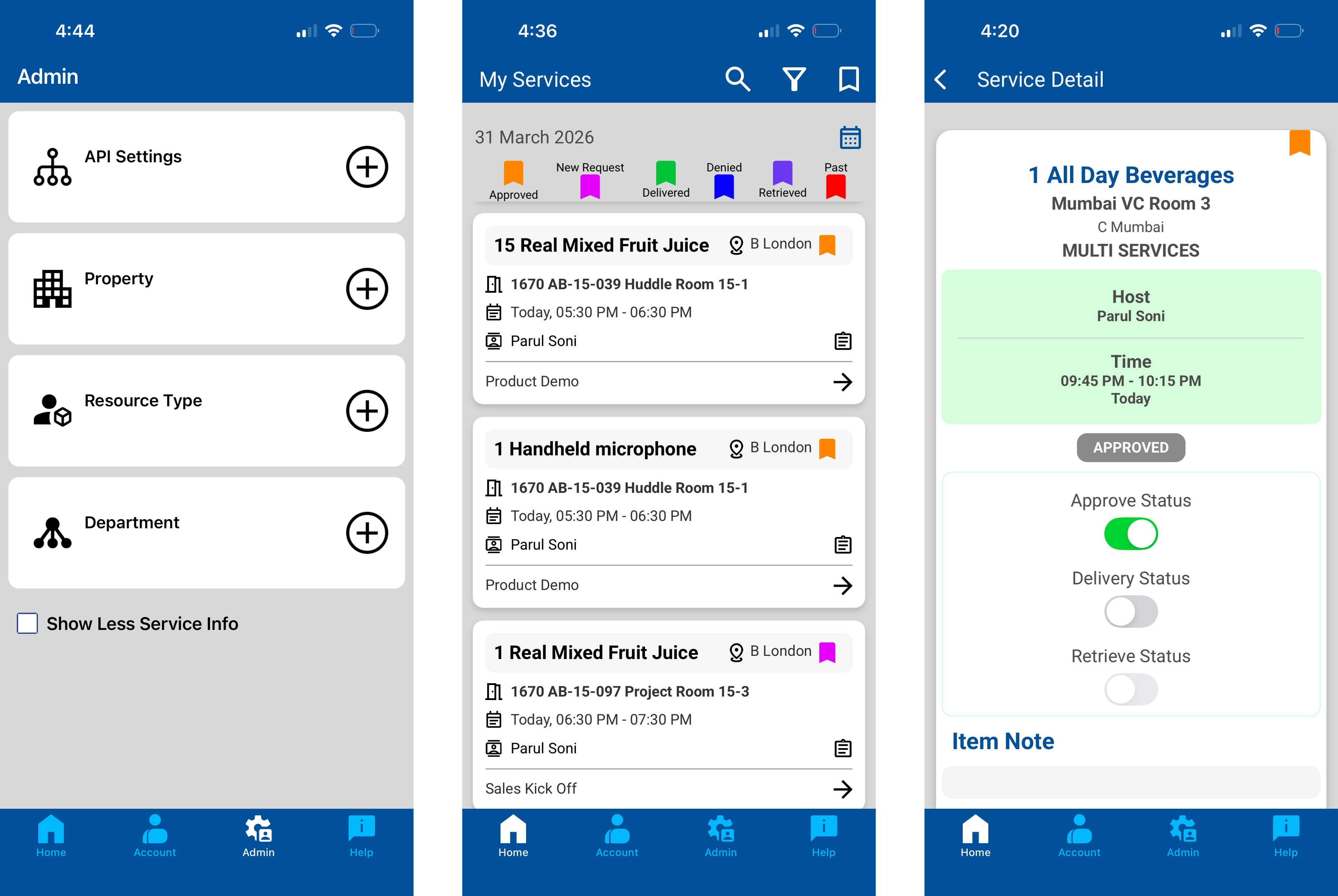
Refreshed Visual Design
The app features an updated look and feel across all screens, including refreshed iconography, updated fonts, and a revised colour palette. These changes have been made to give the app a cleaner, more modern appearance. The core functionality and workflows remain exactly as before, and you will find everything in the same place as always.
What Stays the Same
All existing features and workflows are fully preserved in this release. You will be able to continue using the Service Tracker App exactly as before, with no disruption to your day-to-day processes or data.
Updating the App
This new version is delivered as an update to your existing Service Tracker App.
iOS (iPhone / iPad)
If automatic updates are enabled: No action is required. The update will be downloaded and installed automatically.
If automatic updates are not enabled:
Open the App Store and tap your profile icon in the top-right corner.
Scroll down to the list of pending updates.
Locate Service Tracker App and tap Update.
The app will download and install. Once complete, open it as normal.
Android
If automatic updates are enabled: No action is required. The update will be downloaded and installed automatically.
If automatic updates are not enabled:
Open the Google Play Store and tap your profile icon in the top-right corner.
Select Manage apps & device, then tap Updates available.
Locate Service Tracker App and tap Update.
The app will download and install. Once complete, open it as normal.
Note: If you are unsure whether automatic updates are enabled on your device, please check your device settings or contact your IT support team for assistance.